DIR-620S Wireless N300 Router with 3G/LTE Support and
USB Port
User Manual
Configuring via Web-based Interface
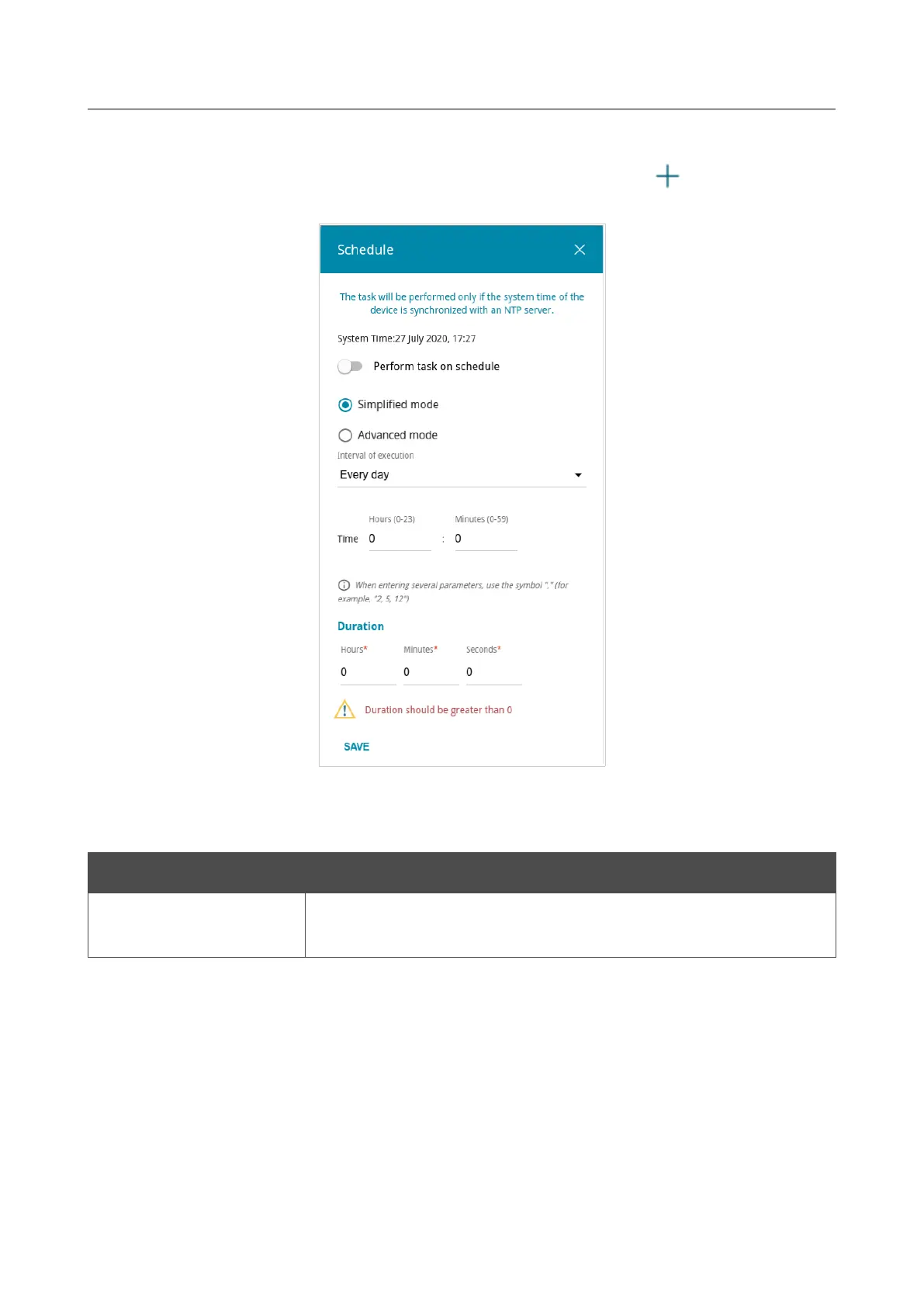
To set a schedule for a task which will be applied to a rule or setting of the firewall or will
enable/disable Wi-Fi connection or Wi-Fi filter, click the ADD button ( ) in the All Tasks
section.
Figure 173. The window for adding a schedule for a task.
In the opened window, in the System Time field, the system time of the device is displayed. You
can select the Simplified mode choice of the radio button and specify the following parameters:
Parameter Description
Perform task on
schedule
Move the switch to the right to enable the schedule.
Move the switch to the left to disable the schedule.
Page 219 of 238










 To Next Page