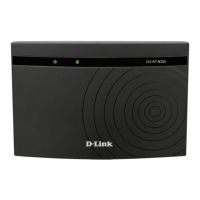
DIR-620S Wireless N300 Router with 3G/LTE Support and
USB Port
User Manual
Overview
Now the schedules are also implemented; they can be applied to the rules and settings of the
firewall and used to reboot the router at the specified time or every specified time period and to
enable/disable the wireless network and the Wi-Fi filter.
You can configure the settings of the wireless router DIR-620S via the user-friendly web-based
interface (the interface is available in several languages).
The configuration wizard allows you to quickly switch DIR-620S to one of the following modes:
router (for connection to a wired or wireless ISP), access point, repeater, or client, and then
configure all needed setting for operation in the selected mode in several simple steps.
Also DIR-620S supports configuration and management via mobile application for Android and
iPhone smartphones.
You can simply update the firmware: the router itself finds approved firmware on D-Link update
server and notifies when ready to install it.
Page 7 of 238










 To Next Page