English 135
Troubleshooting
Troubleshooting
If you experience malfunctions or performance issues, review the tables in this section to
resolve the issue yourself. If you still cannot resolve the issue, call Dacor Customer Service
(800) 793-0093.
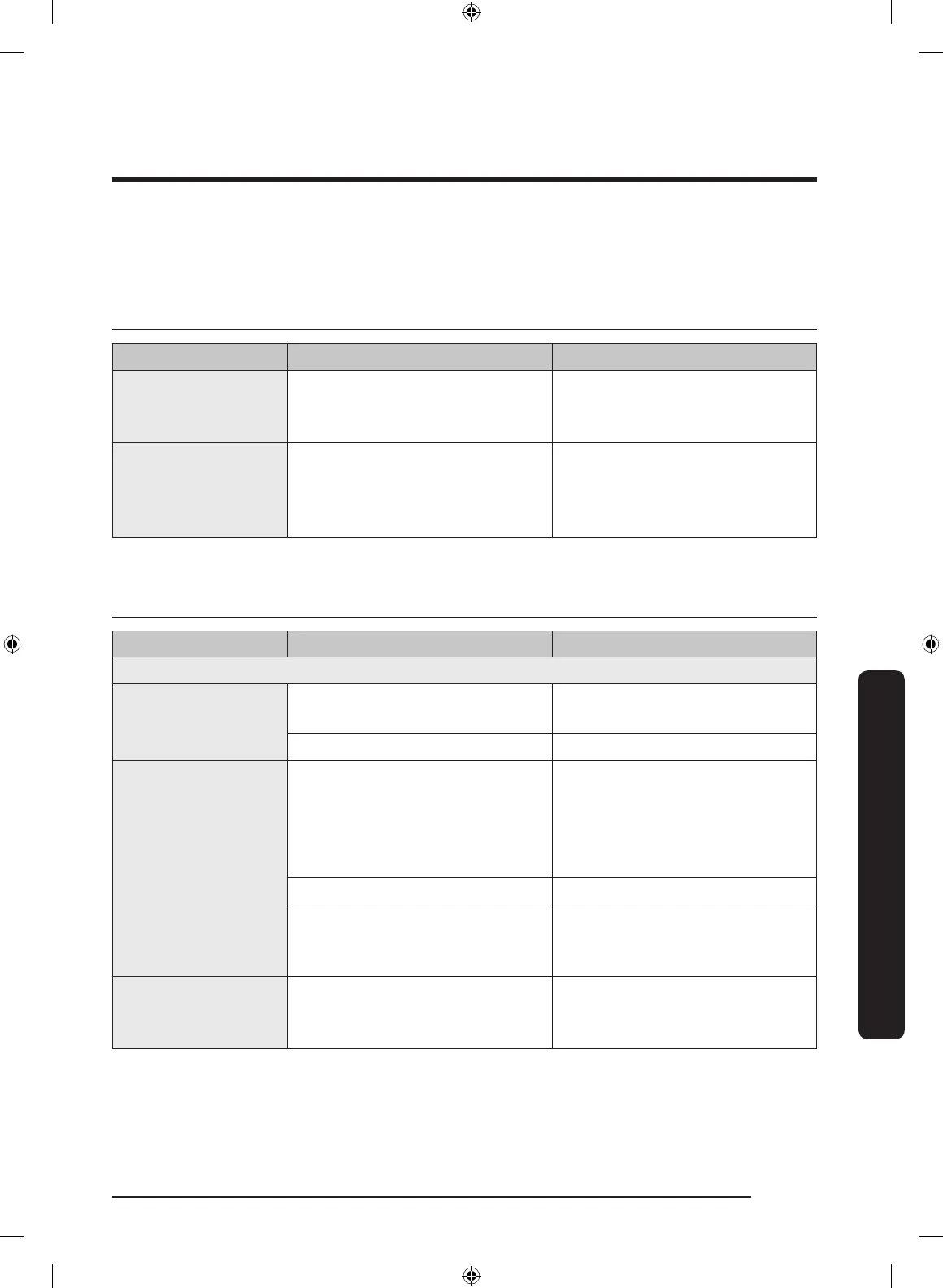
Control display
Problem Possible cause Solution
The display goes
blank.
A fuse in your home may be
blown or the circuit breaker
tripped.
Replace the fuse or reset the
circuit breaker.
Touch-controls
do not respond to
touch.
• Touch model: There is
moisture on the exterior
• The lock function is set
• Remove the moisture and
try again.
• Check whether the lock
function is set.
For the microwave oven
Symptom Cause Action
General
Touch-controls
do not respond to
touch.
For touch models: Moisture is
on the exterior.
Wipe the moisture from the
exterior.
Child lock is activated. Deactivate Child lock.
The oven does not
work.
Power is not supplied. Make sure power is supplied.
Make sure the oven is plugged
in. Check if a fuse has been
blown or circuit breaker has
been tripped.
The door is open. Close the door and try again.
The door-open safety
mechanisms are covered in
foreign matter.
Remove the foreign matter and
try again.
The oven stops while
in operation.
The user has opened the door to
turn food over.
After turning over the food,
press the Start button again to
start operation.
NQ9300M_MOD_DOC30M977D_DE68-04463A-01_EN.indd 135 5/2/2017 4:00:09 PM


 To Next Page