Installation
19
How to connect
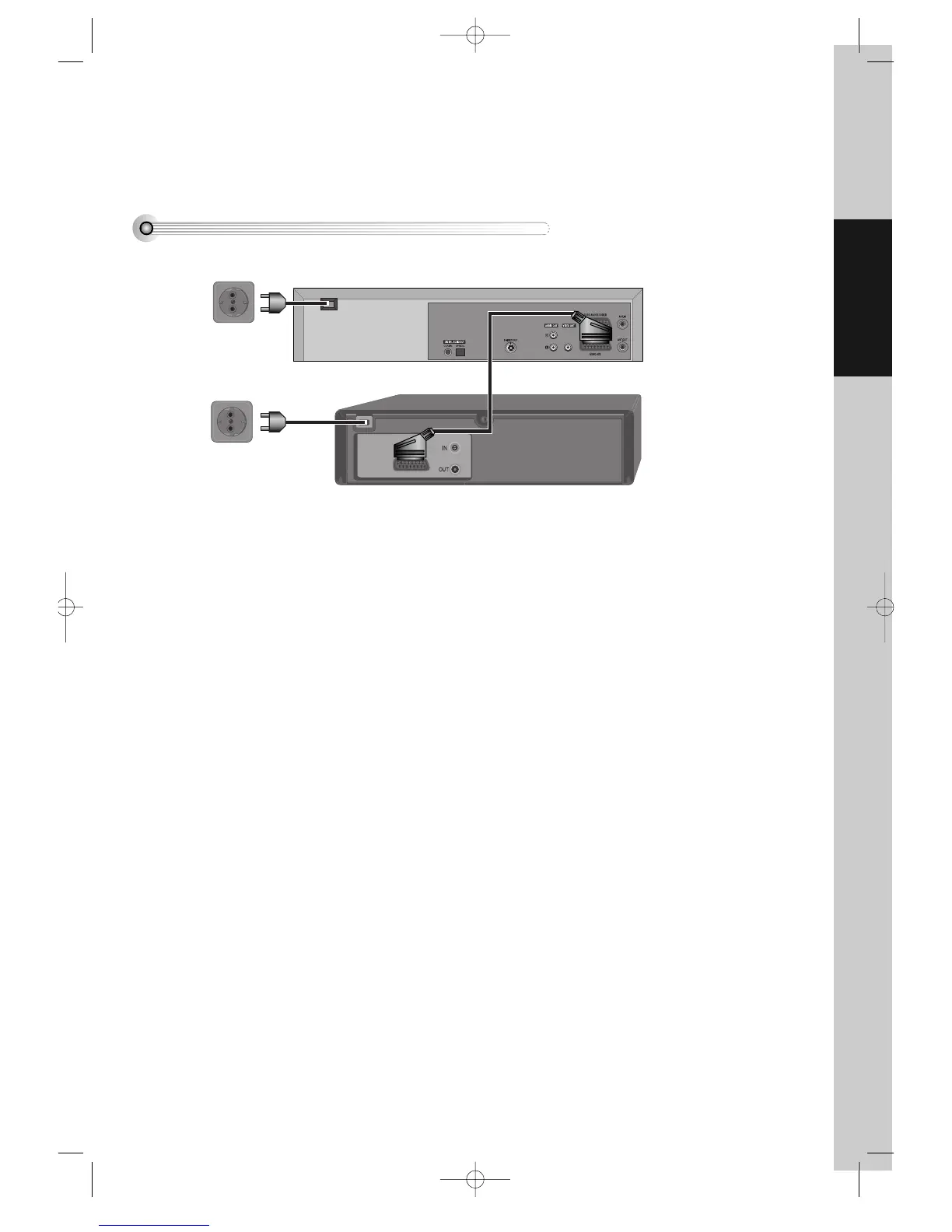
How to connect your player to another player
■ Before you start, unplug all the equipment from the mains supply.
First player
Second player
AC 110-240V,
50/60 Hz
1) Insert the tape you wish to record on into the first player and press AV until “AV1” appears on the front display.
2) Insert the tape you wish to copy from into the second player. Press the play button on the second player.
3) Press the record button on the first player
The player will start recording.
If your player has two scart sockets, you can use the other socket “AV2” to connect other equipment. To use this
function, see page 22.
AC 110-240V,
50/60 Hz
DVD-Video(PAL) 02.3.15 5:44 PM ˘`19



 To Next Page