28
VCR Playback
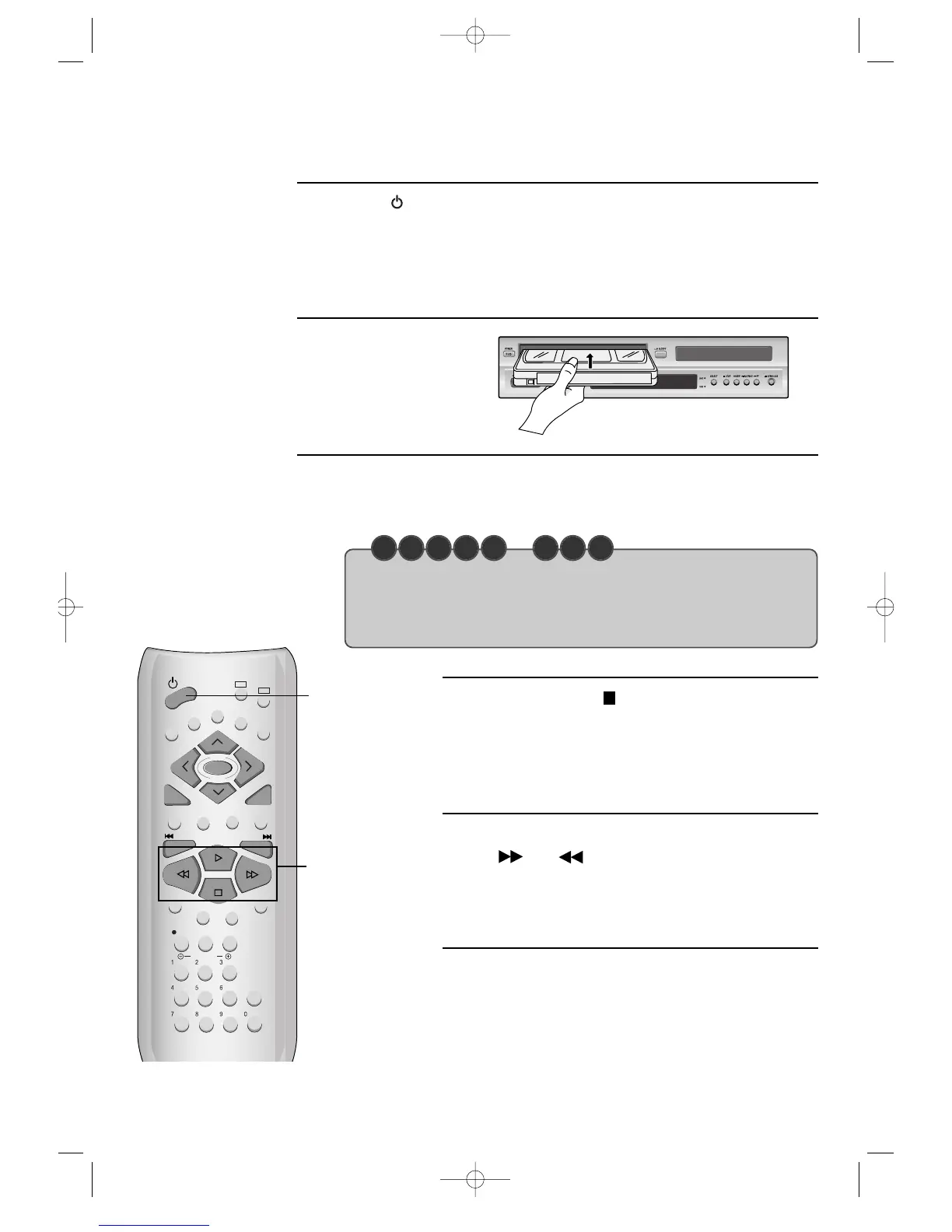
Press [ ] button to power on.
Press [VCR] button of the remote control to change into VCR mode.
Insert the desired
tape.
If you want to playback it, press [PLAY/PAUSE] button.
When the operational status is flickering or poor, adjust it with [TRACKING +/-]
button.
1
2
3
To stop it, press [ ] button.
For pause, press [PLAY/PAUSE] button in playback mode. If
you press this button once more, it starts playback again.
4
To playback fast forward or to reverse it, press
[ ] or [ ] button, respectively.
5
Press [EJECT] button in the front part or
[OPEN/CLOSE] button on the remote control to
remove the tape.
6
REWIND
PLAYBACK/PAUSE
FAST FORWARD
STOP
POWER
• If the product, which has a auto-detector, detects a contaminated head(s), it shows the
conditions to notice the contamination on screen.
* In case of the notice on screen, please rub the heads with a head-cleaner followed
by “How to use a head-cleaner”.
C H E C K U P !
DVD-Video(PAL) 02.3.15 5:44 PM ˘`28



 To Next Page