Basic Operation
27
DVD Playback
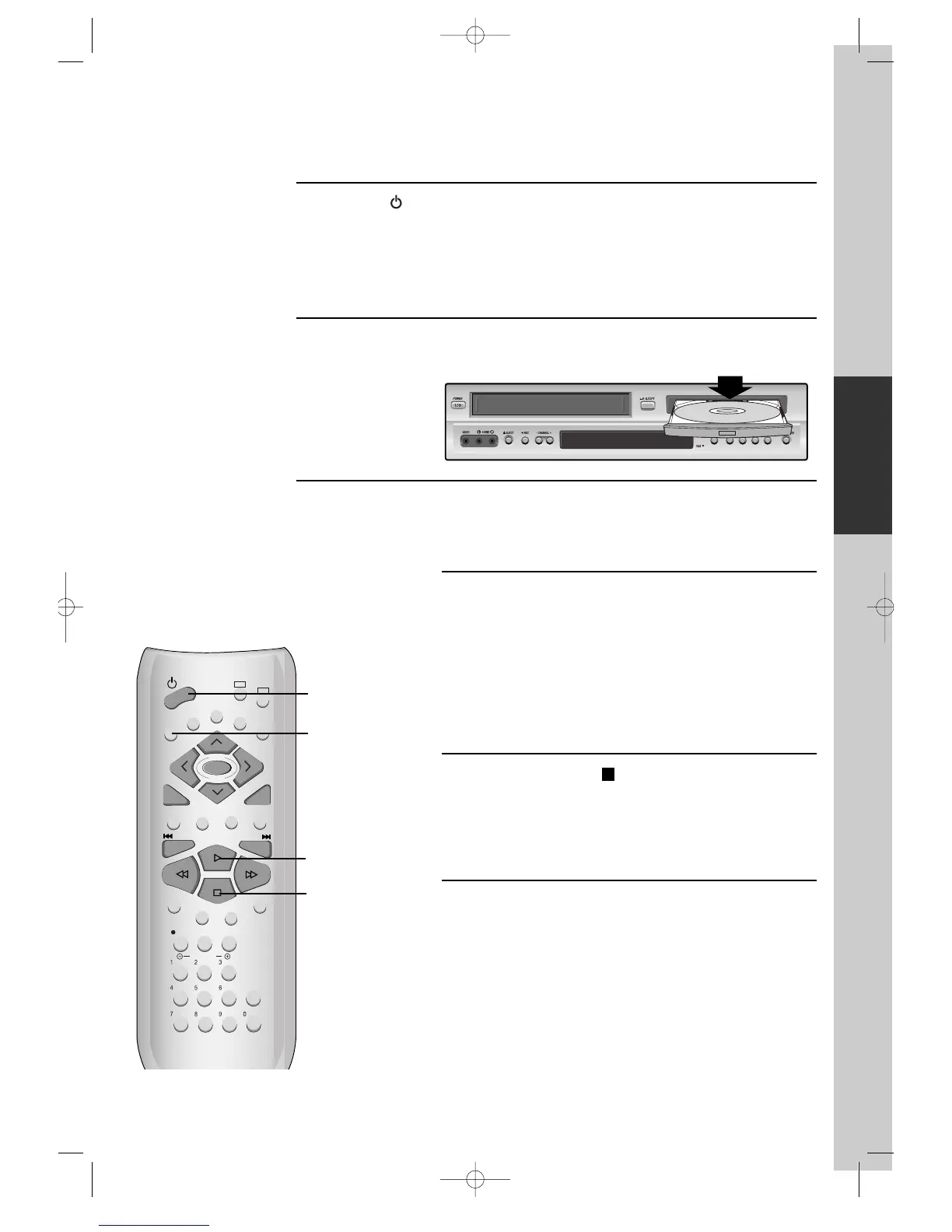
Press [ ] button to power on.
Press [DVD] button of remote control to change into DVD mode.
Press [OPEN/CLOSE] button to open the disc tray.
Place a disc firmly on the disc tray, making its label look upward.
Insert the disc and press [OPEN/CLOSE] button to close the tray.
The disc tray is closed and after checking the disc’s condition, Playback or Stop
function starts to operate.
1
2
3
To playback it, press [PLAY/PAUSE] button.
• In the case of DVD,
DVD menus and titles are displayed on TV screen.
• In the case of S-VCD and VCD2.0
the menus are displayed on TV screen and it is
converted into PBC(Playback Back Control) mode.
• In the case of CD, VCD1.1 and MP3,
the disc plays in order of its track numbers.
4
To stop it, press [ ] button.
For pause, press [PLAY/PAUSE] button in playback mode.
If you press this button once more, it starts playback again.
5
Press [OPEN/CLOSE] button to remove the disc.
6



 To Next Page