User's Manual
121
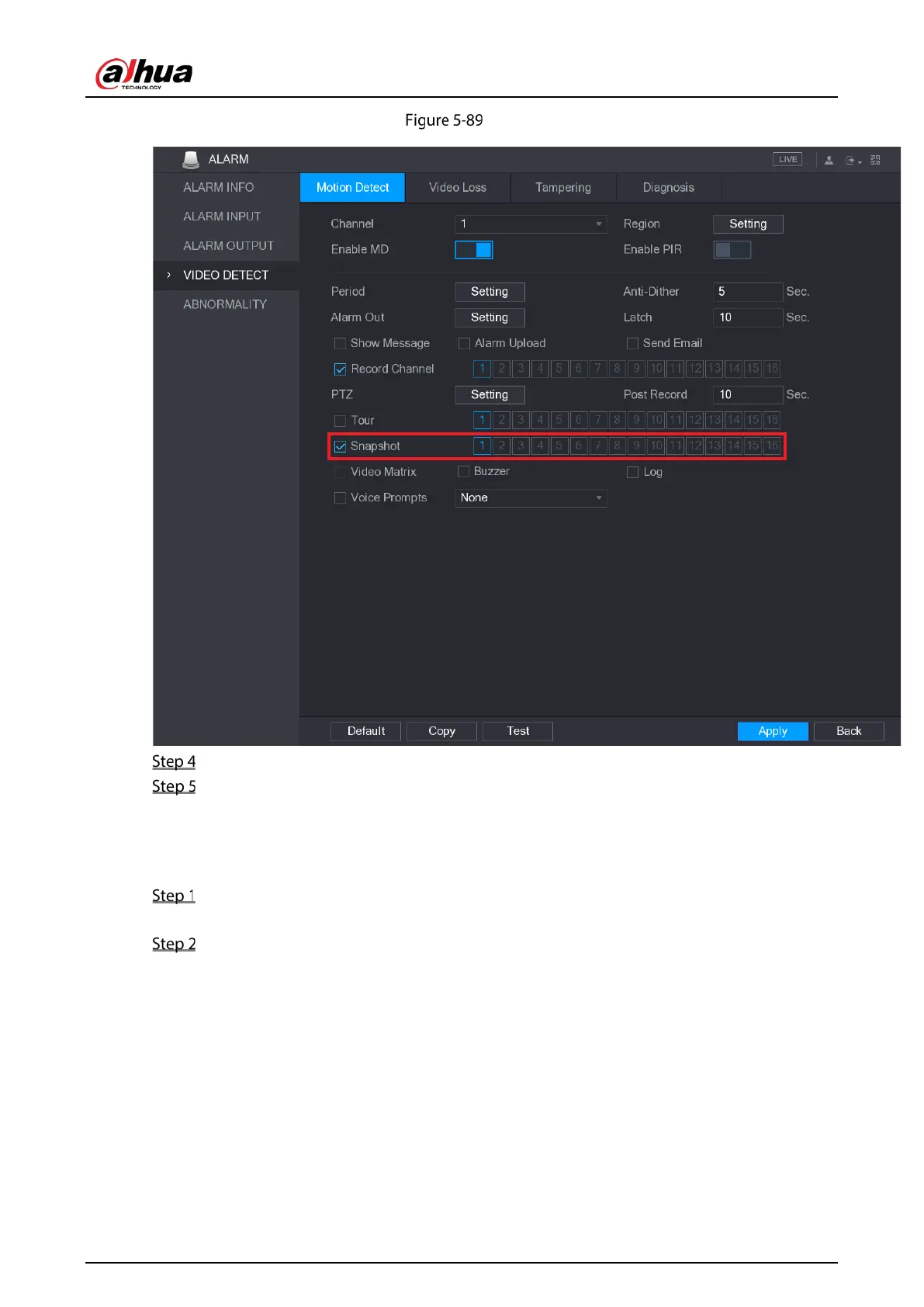
Motion detect
Select the Snapshot check box and select the corresponding channel.
Click Apply.
5.8.1.3 Configuring Face Detection Triggered Snapshot
Select Main Menu > CAMERA > ENCODE > Snapshot.
The Snapshot interface is displayed.
In the Mode list, select Human Face, and then configure other parameters.


 To Next Page
 Loading...

