User's Manual
198
The searched transaction results display in the table.
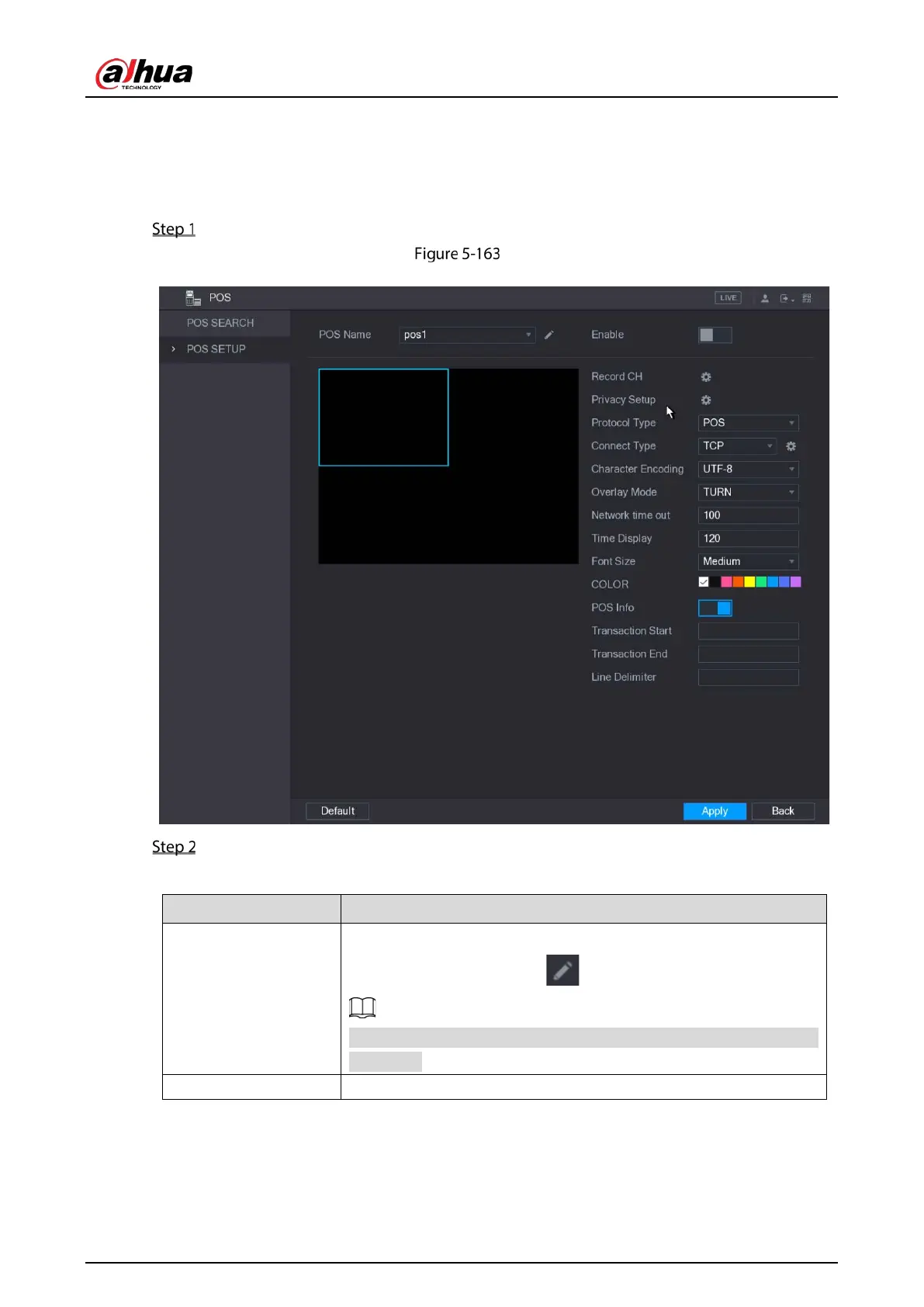
5.12.2 Configuring POS Settings
Select Main Menu > POS > POS SETUP.
POS setup
Configure the settings for the POS parameters.
Table 5-57 POS parameters
POS Name
In the
list, select the POS machine that you want to
configures settings for. Click to modify the POS name.
The POS name supports 21 Chinese characters or 63 English
characters.
Enable Enable the POS function.


 To Next Page
 Loading...

