87
4 DSS Agile VDP
You can download DSS Agile VDP (hereinafter referred to as the "app") and link your VTH to the app
to unlock the door, talk to connected VTO devices, call the management center, and view call
records and messages.
Interfaces and operations might vary between iOS and Android OS. This section takes Android OS as
an example.
4.1 Downloading the App
Background Information
Before you start, make sure the VTO, VTH, and DSS server are properly connected.
Procedure
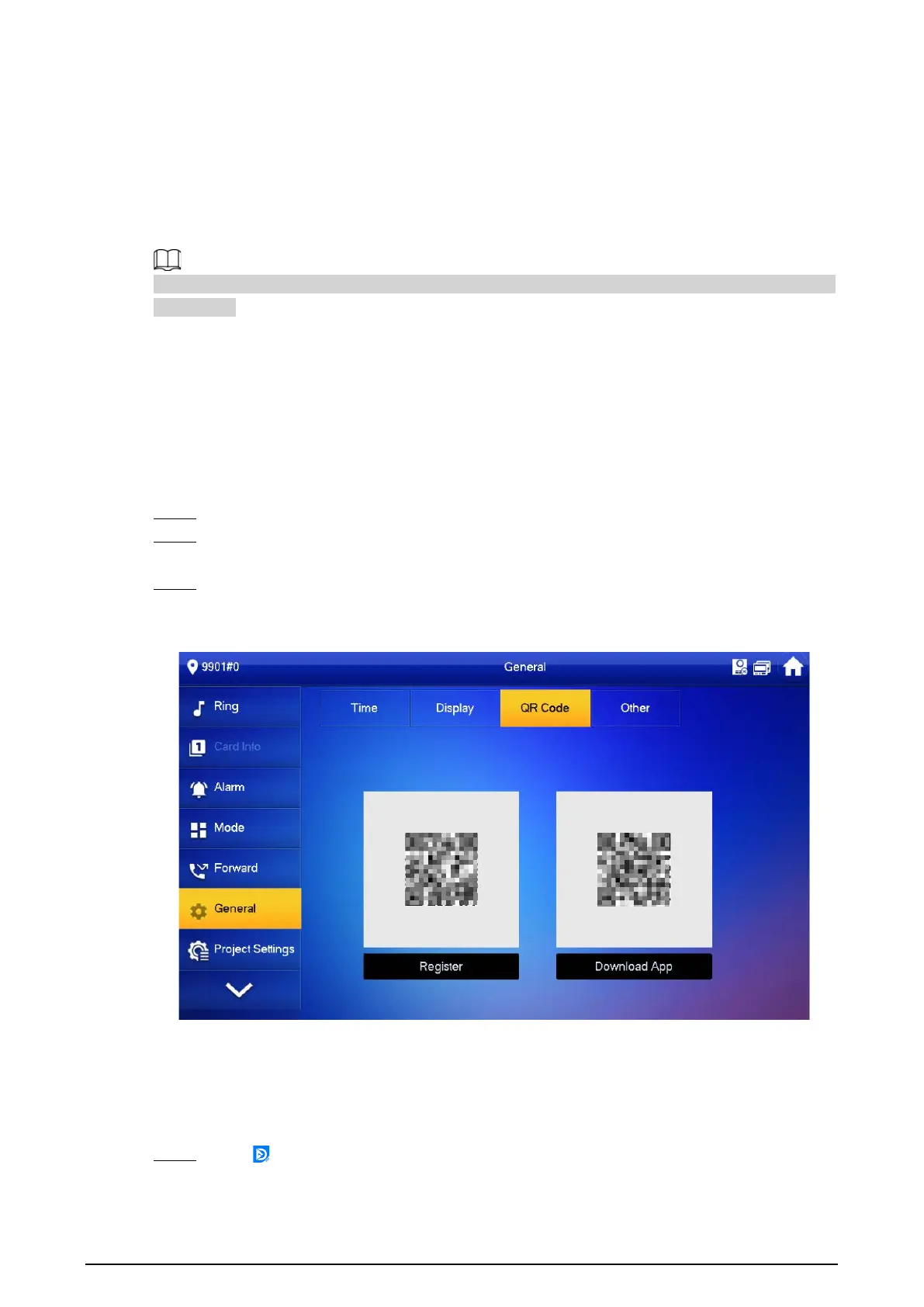
Step 1 On the VTH main screen, tap
Setting
.
Step 2 Enter the password you configured during initialization, and then select
General
>
QR
Code
.
Step 3 Scan the
Download App
QR code with your smart phone, and then download and install
the app.
Figure 4-1 QR code
4.2 Registration and Login
Procedure
Step 1 Tap on your smartphone, read the
Software license agreement and Privacy policy
,
and then tap
Agree
(only for first-time login).



 To Next Page
 Loading...