Household Setting 15
5 Household Setting
This chapter applies to the condition in which the VTO works as SIP server (see 6.4 SIP Server),
and it introduces how to add, modify, and delete VTO, VTH, VTS, and IPC devices, and how to
send messages from the SIP server to other VTO and VTH devices. If you are using other
servers as SIP server, see the corresponding manual for the detailed configuration.
VTO No. Management 5.1
5.1.1 Adding VTO
You can add VTO devices to the SIP server, and all the VTO devices connected to the same
SIP server can make video call between each other.
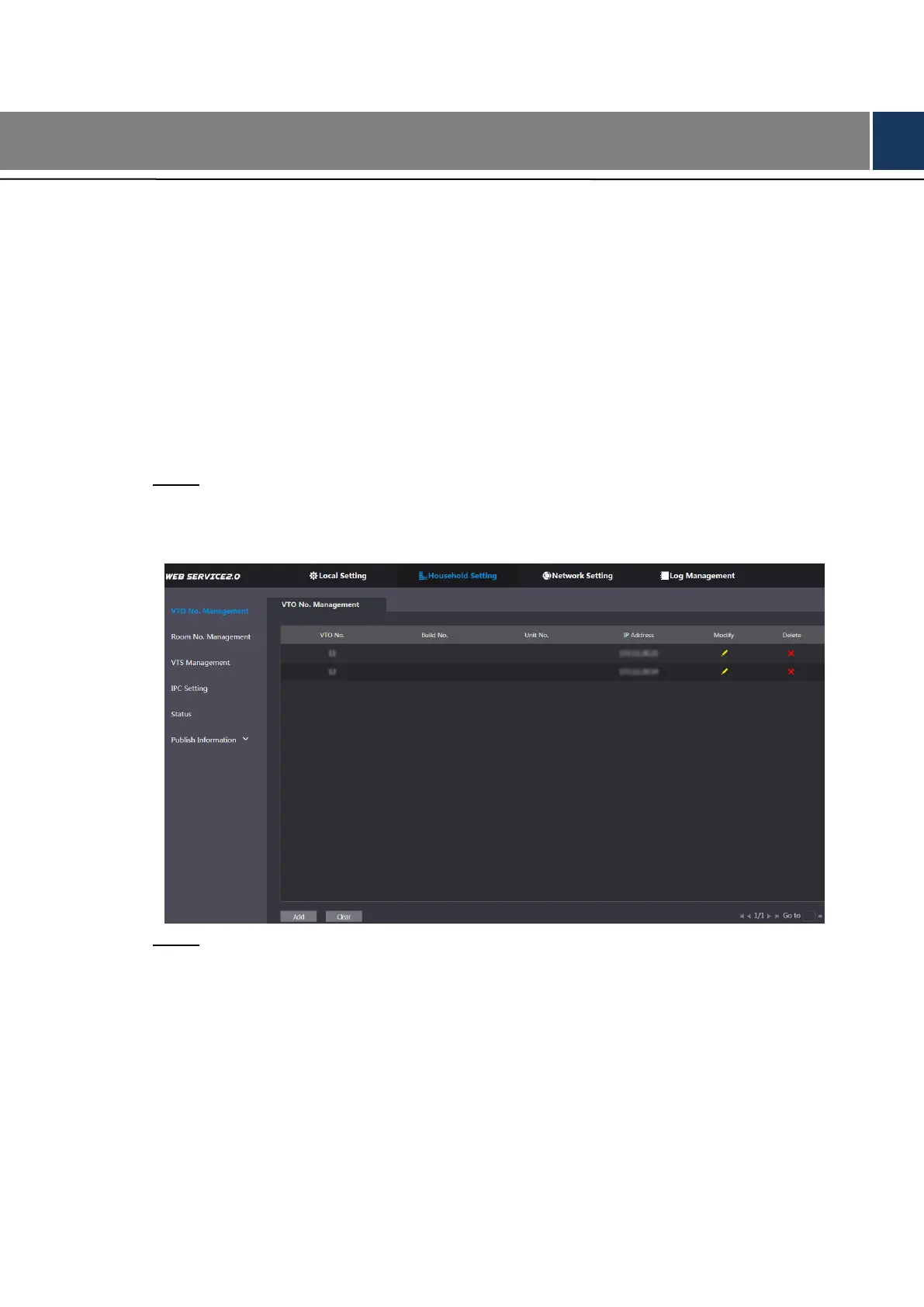
Log in the web interface of the SIP server, and then select Household Setting > VTO Step 1
No. Management.
The VTO No. Management interface is displayed. See Figure 5-1.
VTO No. management Figure 5-1
Click Add. Step 2
The Add interface is displayed. See Figure 5-2.


 To Next Page
 Loading...