SQLC-214-097
29
4.3.7 Reset
Various kinds of reset are performed. The kind of reset is as follows and operations are different, respectively.
Reset of watt-hour integrated value (zero clear),
Reset of maximum value and minimum value (it updates to the instantaneous value at the time),
Alarm-output reset (OFF of an alarm output (at the case of manual reset setting)).
And, the operation from each measurement display constitutes conditions at each reset.
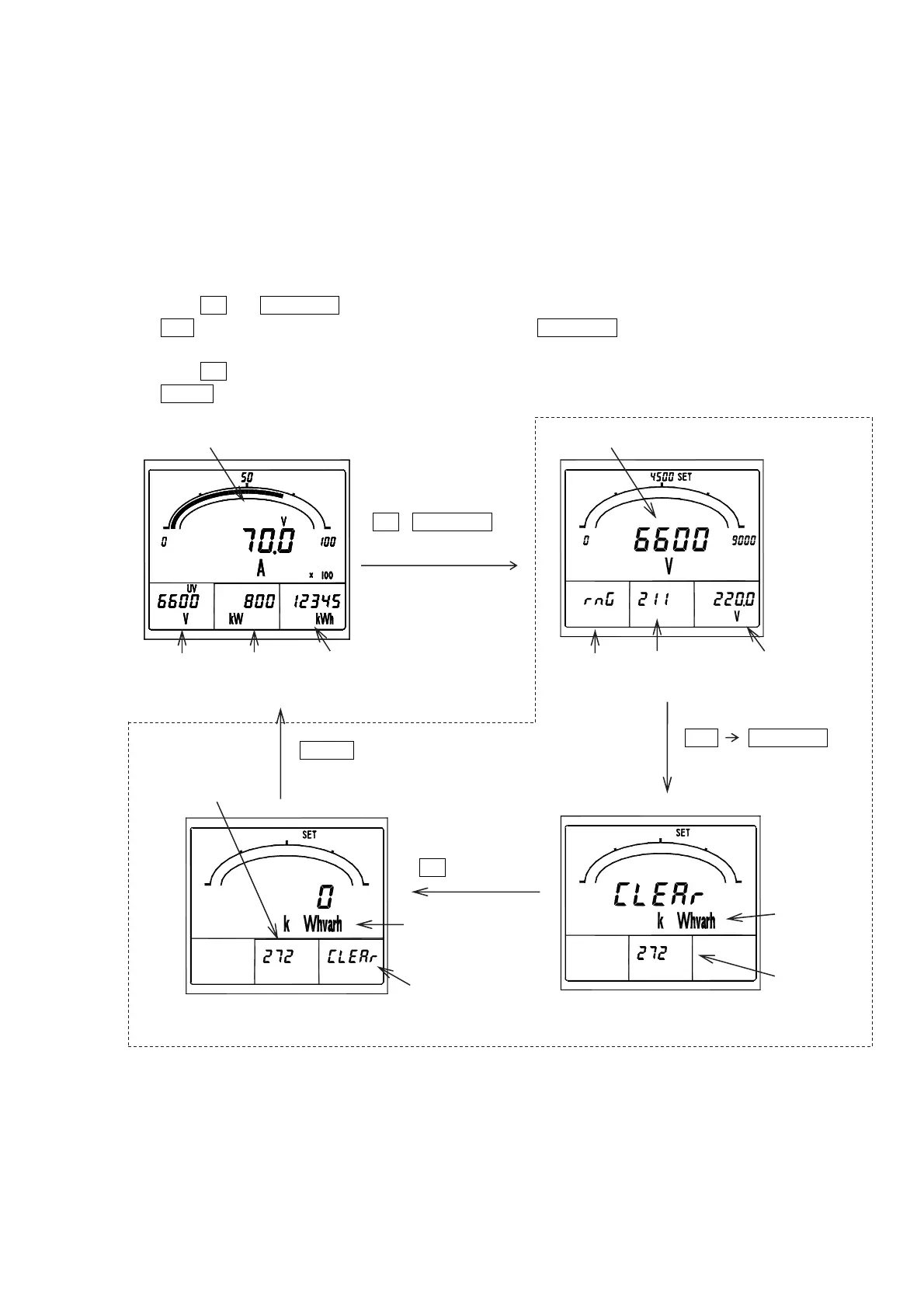
(1) Watt-hour integrated-value reset
It resets by package about the integrated value of various watt-hour. Watt-hour reset is performed in the setting
mode 2. In detail explanation in the setting mode 2, please refer to "5.3.2 Setting mode 2".
① Press
SET
and
RESET/SHIFT
together for longer than 3 seconds. It goes into the setting mode 2.
②
MODE
is pushed until setting is set to No.271. Further
RESET/SHIFT
is pushed once and it is made a
watt-hour-reset display.
③ Press
SET
for longer than 3 seconds.
④
DISPLAY
is pushed and it returns to a measurement display.
Measurement display No.211
No.272(Clear completion) No.272(Before clear)
Setting mode 2
DISPLAY
SET
+
RESET/SHIFT
3
econd
A(V) display New setting
RESET/SHIFT
MODE
×n
(To setting No.272)
Setting No.
SET
3 second
Wh and varh
display by turns.
Setting No.
It displays by
clear completion.
V(UV) display W display Wh display
New setting
Current setting
Setting factor
Wh and varh
display by
turns.


 To Next Page