SQLC-214-097
65
5.3.3 Setting mode 3
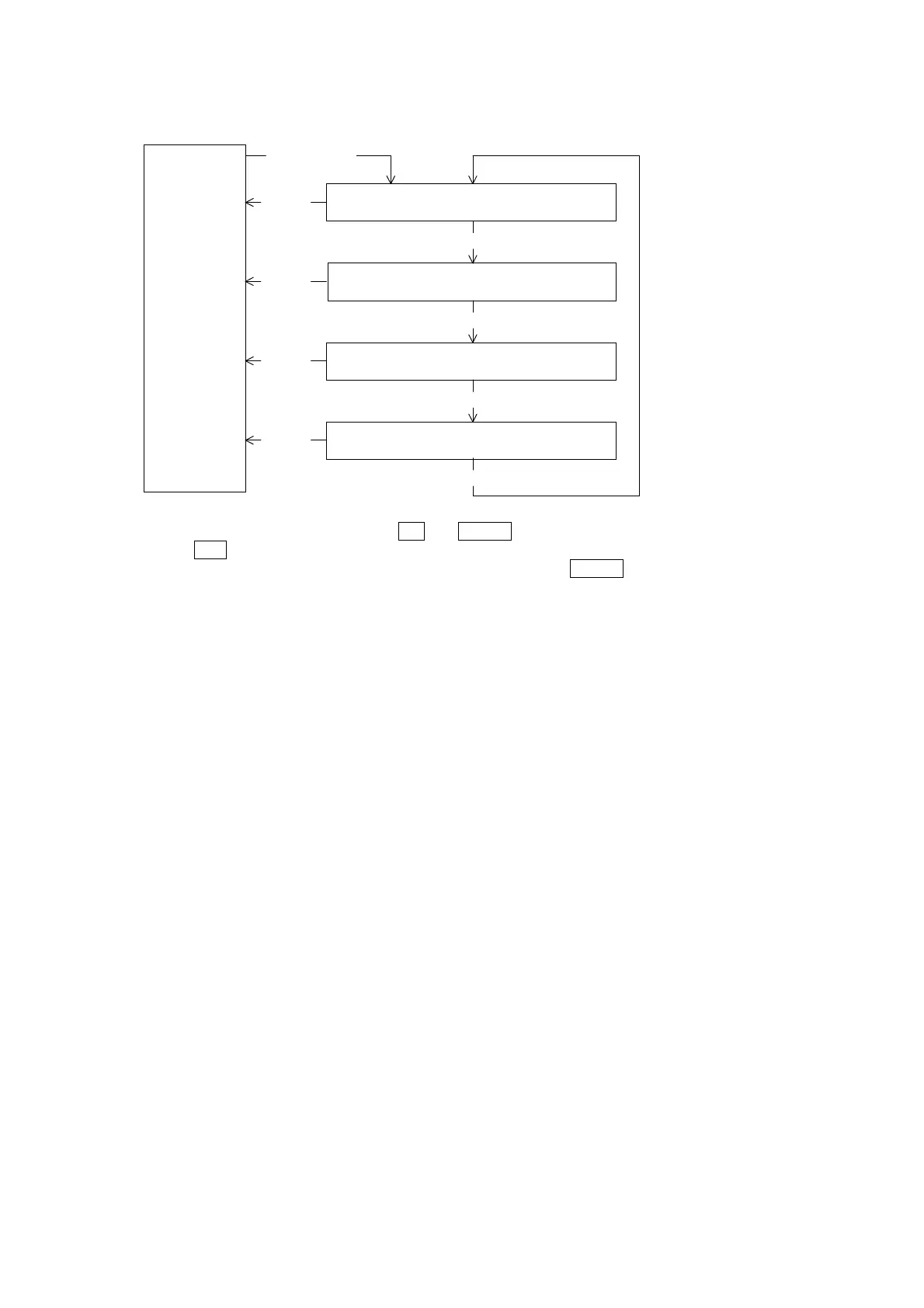
Display mode
(Measurement
display)
SET and DISPLAY
3 seconds
311 to 312
Input circuit setting
MODE
321 to 322
Measurement setting
MODE
331
Analog output specification change
MODE
341 to 348
Analog output adjust
MODE
DISPLAY
DISPLAY
DISPLAY
DISPLAY
Setting mode 3 is selected by pressing
SET
and
DISPLAY
switches continuously for longer than 3 seconds.
Pushing
MODE
switch performs movement of setting item.
The present mode can be returned to the display mode by pressing
DISPLAY
switch.
< Caution >
If setting change should have been mistaken, a display and output of measurement are not obtained correctly.
Therefore, users must not set. The setting item without the corresponding option is not displayed.
Setting mode 3


 To Next Page