EasyManua.ls Logo

Daiichi Electronics SQLC-110L - User Manual

Daiichi Electronics SQLC-110L
87 pages
Print Icon
To Next Page IconTo Next Page
Loading...
SQLC-214-097
INSTRUCTION MANUAL
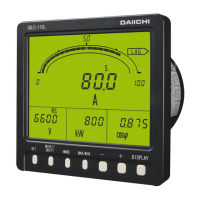
Power Line Super Multi-Meter
SQLC-110L
[ 1φ2W / 1φ3W / 3φ3W Analog Output ]
Hardware Model F

Questions and Answers

  • E
    Erika WarnerAug 13, 2025
    How to troubleshoot a Daiichi Electronics Measuring Instruments device that does not display?
    • A
      Andrew CurtisAug 13, 2025
      If your Daiichi Electronics Measuring Instruments device does not display anything, first check the auxiliary power supply to ensure it's properly connected and providing sufficient voltage. If the power supply is confirmed, verify that the measurement display ON/OFF setting is enabled. If the issue persists, the device may be faulty and require replacement.
  • D
    Daniel CarterAug 16, 2025
    Why is my Daiichi Electronics Measuring Instruments showing a measuring value error?
    • C
      Courtney VargasAug 16, 2025
      If you notice a significant error in the measuring value of your Daiichi Electronics Measuring Instruments, ensure that the range is correctly set. Also, confirm that the rated frequency is within the acceptable range of 45-65Hz. Note that this device cannot be used with cycle control, SCR phase angle control, PWM, or other inverter outputs.
  • C
    christianhahnAug 20, 2025
    What to do if Daiichi Electronics Measuring Instruments displays "----" for current leakage Igr?
    • B
      Bradley PattersonAug 21, 2025
      If the measurement display of current leakage Igr on your Daiichi Electronics Measuring Instruments shows "----", ensure that the connection to ZCT or the product itself is correct. If the cable run constitutes a negative phase sequence, change setting No.163 to “1? one phase earth (negative phase sequence)”.
  • M
    Michelle PetersonAug 25, 2025
    Why does the indicator not display on my Daiichi Electronics SQLC-110L?
    • S
      susan62Aug 25, 2025
      If the Daiichi Electronics Multimeter indicator isn't displaying anything, the issue might stem from a few causes. First, ensure the power supply is properly connected and providing adequate voltage. If the power is fine, verify that the measurement display ON/OFF setting is indeed set to ON. If the problem persists after checking these, replacing the device might be required.
  • A
    Alexandra RussellAug 27, 2025
    What to do if the measuring value error is noticeable on Daiichi Electronics SQLC-110L Multimeter?
    • A
      ashley40Aug 27, 2025
      If you notice a significant error in the measuring value on your Daiichi Electronics Multimeter, it could be due to an incorrect range setting. Please ensure that you set the appropriate range. Also, this multimeter cannot be used if the rated frequency is outside of 45 to 65Hz, or if you are measuring cycle control, SCR phase angle control, PWM, or other inverter output.
  • A
    Allison ThomasAug 31, 2025
    Why does the alarm output not return on my Daiichi Electronics SQLC-110L Multimeter?
    • K
      Kevin Mcintosh DDSSep 1, 2025
      If the alarm output on your Daiichi Electronics Multimeter doesn't return, it might be because the return method is set to "manual reset". Please check the settings to confirm.
  • J
    Jose HaleSep 4, 2025
    How to fix analog output not outputted on Daiichi Electronics Multimeter?
    • H
      herrerachadSep 4, 2025
      If the analog output is not being outputted from your Daiichi Electronics Multimeter, the analog output setting or the measurement factor setting might be turned OFF. Please check these settings to ensure they are properly configured.
  • C
    Christopher JohnsonSep 7, 2025
    What to do if pulse output is not outputted on Daiichi Electronics SQLC-110L Multimeter?
    • N
      Nathan MaySep 8, 2025
      If the pulse output is not being outputted from your Daiichi Electronics Multimeter, it is possible that the pulse output setting or the measurement factor setting is turned OFF. Please check the settings to resolve this issue.

Summary

Introduction and Safety

Safety Precautions

Covers general safety warnings, DANGER, WARNING, ATTENTION notices.

Safe Use Guidelines

Details working/storage environments, outdoor use, dew condensation, and mounting/wiring.

Product Overview

Product Outline and Features

Describes the product's purpose, applications, and key features.

Component Identification

Identifies and explains the function of each part of the device.

Preparation and Setup

Installation Procedures

Details the physical installation process of the unit.

Wiring Connections

Explains how to connect the unit's wiring according to diagrams.

Operation and Display

Switch Operation and Screen Navigation

Describes how switch operations change various screens and functions.

Measurement Display Types

Details general, harmonic, and alarm measurement displays.

Setting Mode Navigation

Outlines the three setting modes and their operations.

Setting Procedures

Setting Mode 1 Functions

Lists functions, their descriptions, and settings for Setting Mode 1.

Setting Mode 2 Functions

Lists functions, descriptions, and settings for Setting Mode 2.

Setting Mode 3 Functions

Lists functions, descriptions, and settings for Setting Mode 3.

Detailed Setting Explanations

Setting Mode 1 Details

Explains display combinations, alarm, demand, harmonic, instant measurement, leakage, and backlight settings.

Setting Mode 2 Details

Explains measurement range, analog output, pulse output, external input, ON/OFF, and initialization settings.

Setting Mode 3 Details

Explains input circuit, measurement, and analog output adjustment settings.

Specifications

General Specifications and Errors

Lists detailed specifications and intrinsic error values.

Performance Characteristics

Provides further details on product performance.

Optional Features

Describes available optional features.

Maintenance and Troubleshooting

Troubleshooting Guide

Provides a table of symptoms, causes, and remedies.

Maintenance and Checks

Lists periodic checks and general maintenance instructions.

Testing Procedures

Explains how to perform alarm output and harmonic tests.

Storage and Countermeasures

Storage Recommendations

Provides guidelines for storing the product.

Handling Product Issues

Advises on how to handle product failures and warranty.

Daiichi Electronics SQLC-110L Specifications

General IconGeneral
BrandDaiichi Electronics
ModelSQLC-110L
CategoryMultimeter
LanguageEnglish

Related product manuals