IO-DAPPS www.daikinac.com 10
Entering a User Password
User funcons may require a password consisng of four numbers.
Once a user password is entered it will remain acve for 60 seconds
aer the last buon is pushed.
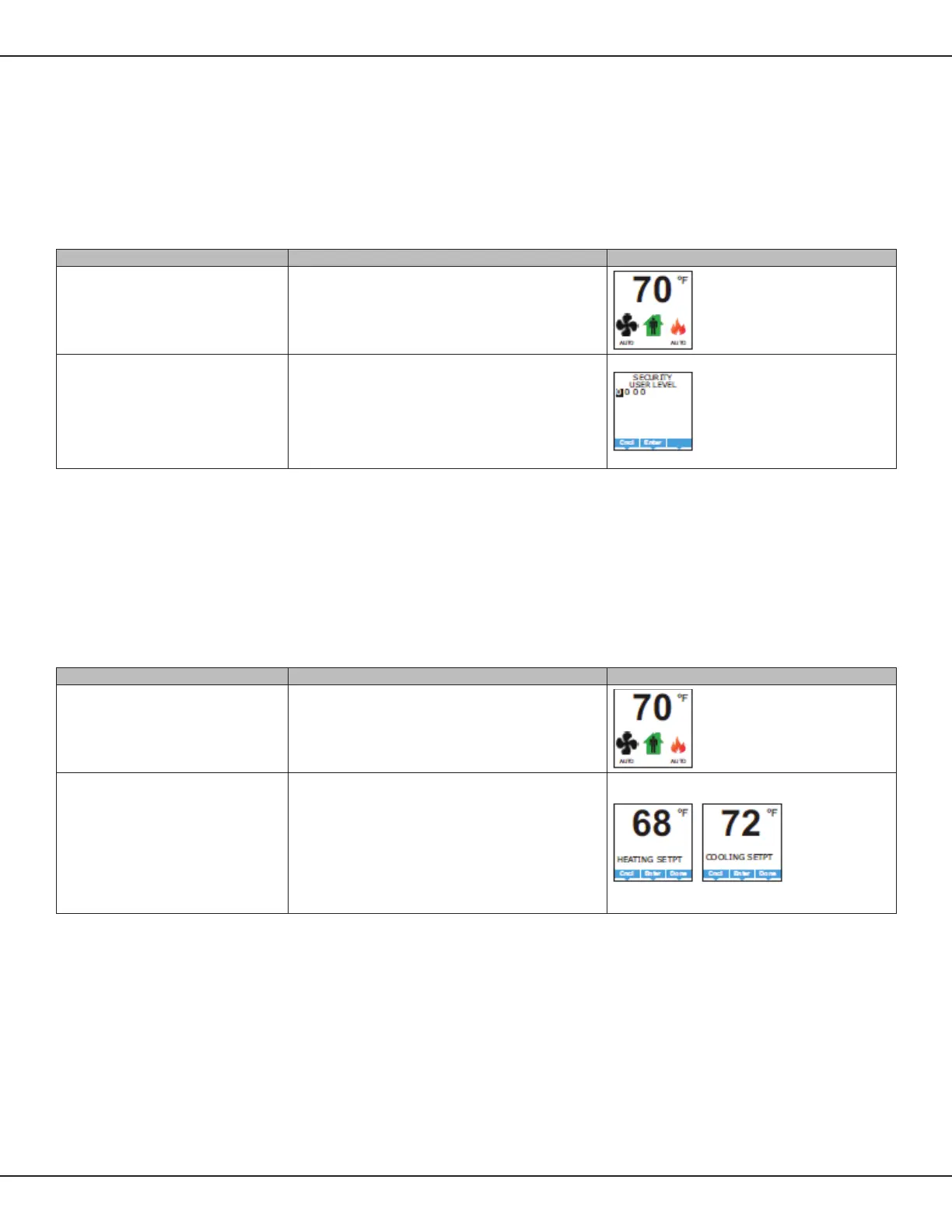
Table 3: Entering a User Password
Procedure Steps Display
Starng display Start at the temperature display
Enter the Level 1 password
1. Press any buon on the BACnet™ Thermostat. The display changes
to the Security User Level display.
2. Press either the ▲ or ▼ buon to change the rst digit
of the password.
3. Press the Enter buon to select the next digit. Repeat for all
four digits.
4. If the password is correct, the display will advance to the
rst menu.
Changing the Acve Setpoints
To enter or change the acve temperature setpoints you may need to
enter a user password.
NOTE: In the following procedure the current acve setpoint –
either cooling or heang – is the rst setpoint to change.
Once that setpoint is entered, the display advances to the
next setpoint.
Table 4: Changing the Acve Setpoints
Procedure Steps Display
Starng display
Start at the temperature display
NOTE: The next step may require a user password.
Change the acve setpoints
1. Press either the ▲ or ▼ buon to change the acve
temperature setpoint.
NOTE: A user password may be required aer pushing the
rst buon.
2. Press the Enter buon to save the value. The display will advance
to the next setpoint.
3. Press the ▲ or ▼ buon to change the next setpoint.
4. Press the Enter buon to save the value. The display will return to
the temperature display.
Program Set-Up



 To Next Page
 Loading...










