BRC2E52C7 / BRC3E52C7 Operation manual
4P368042-1 - 2014.02
48
Menu Manipulation
4
SettingReturn
Time Act Cool Heat
– 6 :00
Schedule nr 1
Mon
Time Act Cool Heat
– 6 :00
ON
32°C
16°C
Schedule nr 1
SettingReturn
Mon
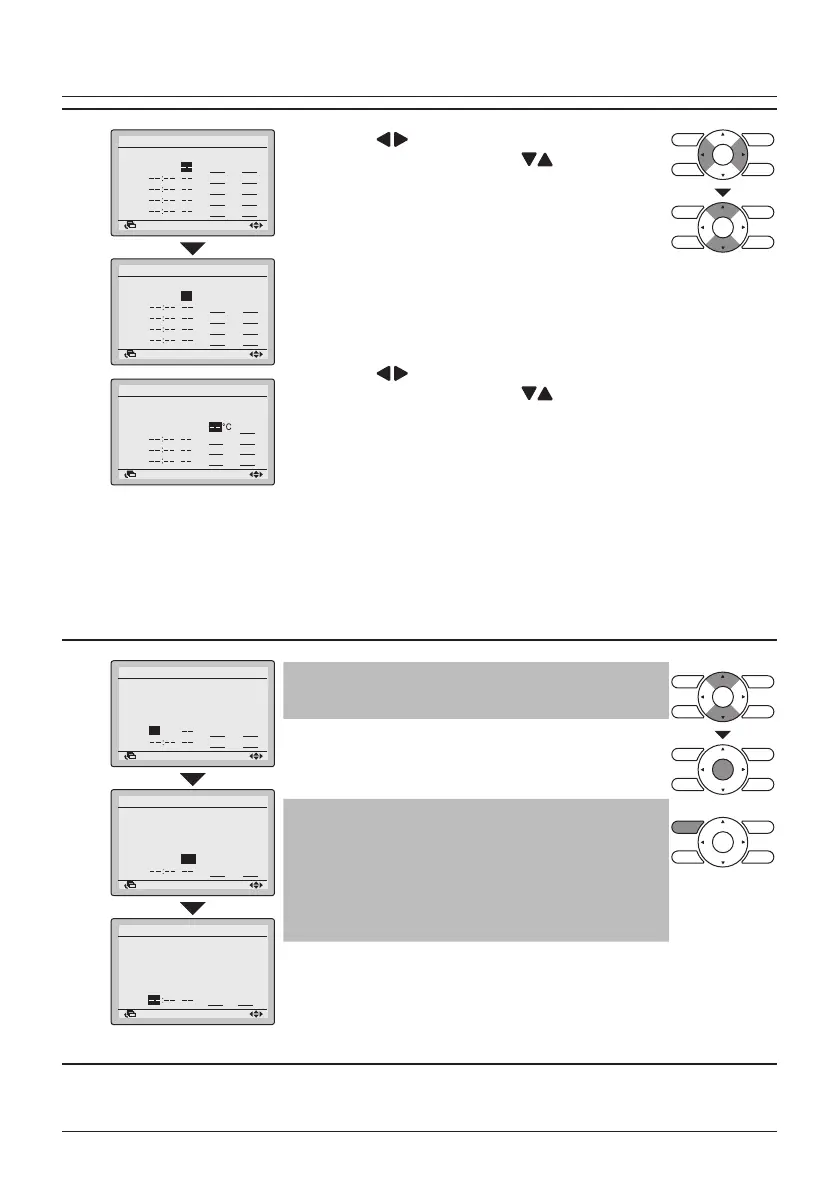
• Press the (Left/Right) buttons to move the
highlighted item and press the (Up/Down)
buttons to congure ON/OFF/-- settings.
"Act"-column:
ON : The temperature setpoints can be
congured.
OFF : The setback temperature setpoints can be
congured.
– – : The temperature and setback temperature
setpoints will be disabled.
• Press the
(Left/Right) buttons to move the
highlighted item and press the (Up/Down)
buttons to input the cooling and heating
temperature setpoints for both ON and OFF
(Setback) operation.
"Cool" and "Heat" column:
"__": Indicates that the temperature and setback
temperature setpoint for this time period is
not specied. The last active setpoint will be
utilized.
"– –": Indicates that the setback function is
disabled for this time period.
Time Act Cool Heat
– 6 :00
ON
24°C
21°C
– 8 :00
OFF
Mon
Schedule nr 1
SettingReturn
5
Time Act Cool Heat
– 6 :00
ON
24°C
21°C
– 8 :00
OFF
29°C
10°C
17:30
ON
24°C
21°C
22:00
Schedule nr 1
SettingReturn
Mon
Time Act Cool Heat
– 6 :00
ON
24°C
21°C
– 8 :00
OFF
29°C
10°C
17:30
ON
24°C
21°C
22:00
OFF
28°C
17°C
Mon
Schedule nr 1
SettingReturn
Time Act Cool Heat
– 6 :00
ON
24°C
21°C
– 8 :00
OFF
29°C
10°C
17:30
ON
24°C
21°C
22:00
OFF
28°C
17°C
Tue
Schedule nr 1
SettingReturn
Note
A maximum of 5 actions per day can be set.
• Press the Menu/Enter button when all changes are
made. The conrmation screen will appear.
Note
To copy the settings from the previous day, press
the Operation Mode Selector button.
Example: To copy the contents of Monday to
Tuesday, select Tuesday and press the Operation
Mode Selector button.



 To Next Page