42 Installation Manual 3P581074-2D
DGE601A52
English
Setting “Remote controller group MAIN” DIII-NET addresses
This section describes how to set “Remote controller group MAIN” DIII-NET addresses.
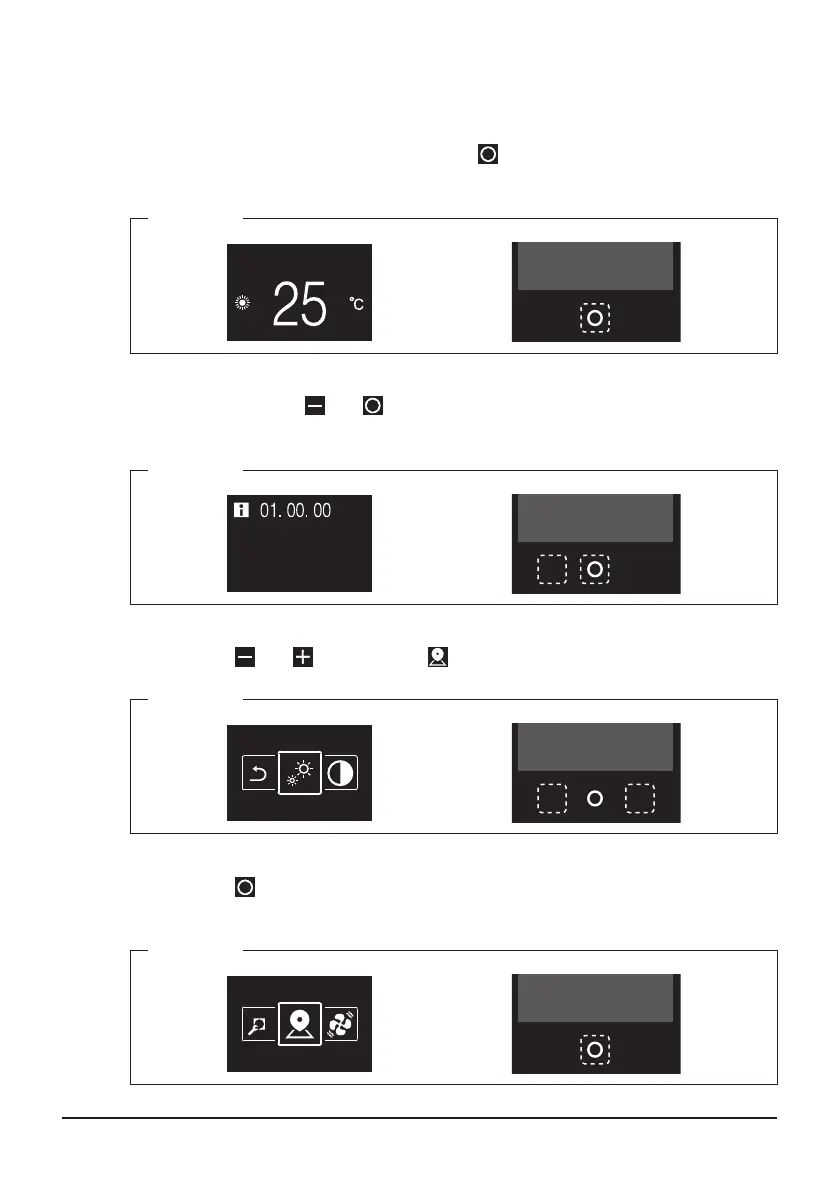
1. From the homescreen, press and hold the button.
Information is displayed.
<Step 1>
-
2. Press and hold the and buttons.
The menu is displayed.
<Step 2>
-
3. Using the and buttons, move to the centre of the screen.
<Step 3>
-
4. Press the button.
The selected screen is displayed.
<Step 4>
-
01_EN_3P581074-2D.indd 42 2021/06/25 14:12:13



 To Next Page