6 | Operation
User reference guide
39
CVXM20+FVXM25~50A2V1B
Split system air conditioners
4P625990-1A – 2020.10
To connect using SSID and KEY number
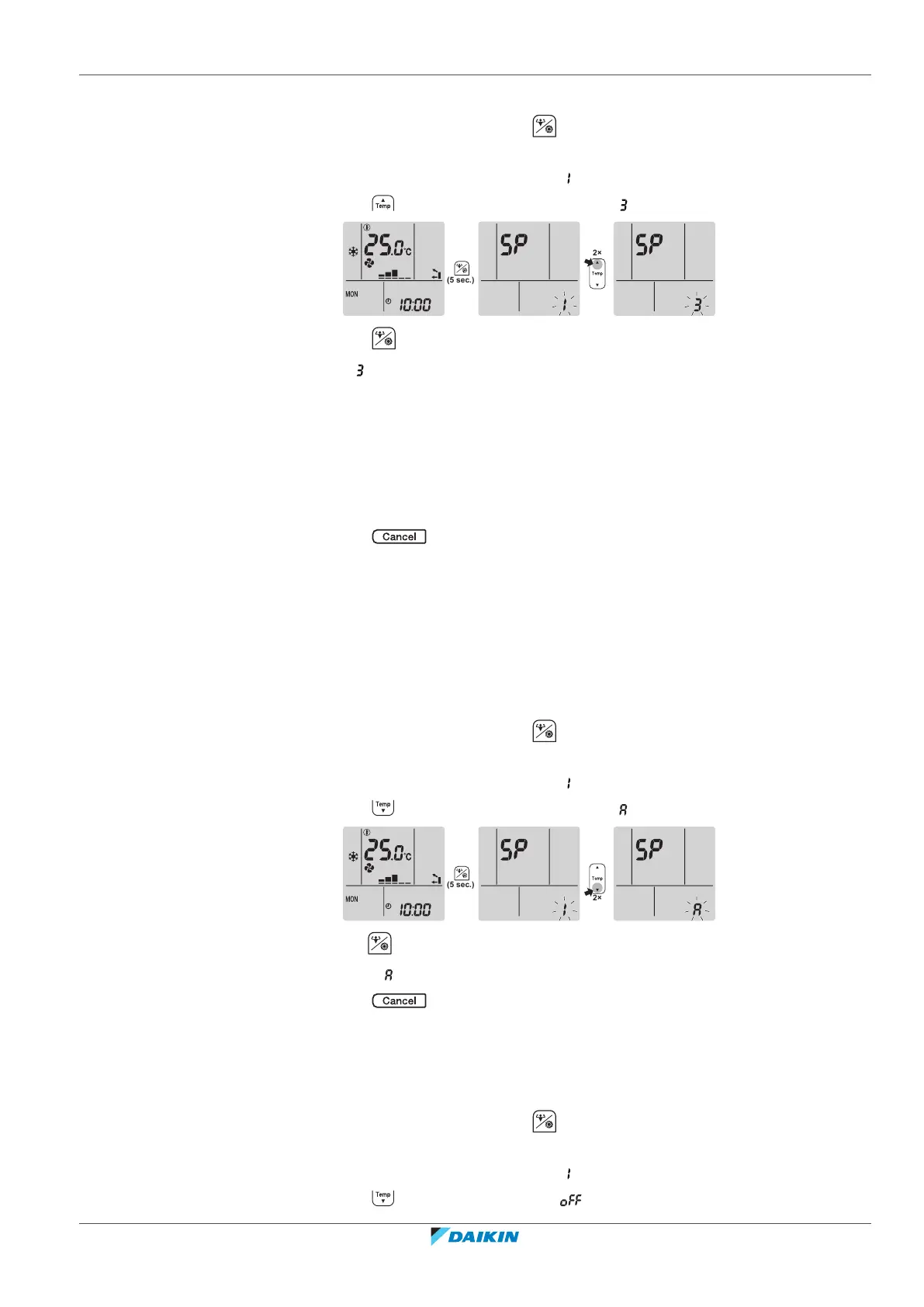
1 On the home screen, press for at least 5 seconds while the unit is not
operating.
Result: SP appears on the display. is blinking.
2 Press twice to change the SP menu to .
3 Press to confirm the selection.
Result: is blinking. The Daikin eye colour alternates between red and partly
green.
4 Open the Daikin Residential Controller application on your smart device and
follow the steps on the screen.
Result: If the connection was successful, the Daikin eye colour alternates between
blue and partly green.
5 Connect your smart device to the same home network as the unit.
6 Press to exit the menu.
Result: The display will return to the home screen.
To reset the connection setting to the factory default
Reset the connection setting to the factory default in case you want to:
▪ disconnect the wireless LAN and the communication device (e.g. router) or smart
device.
▪ repeat the setting if the connection was unsuccessful.
1 On the home screen, press for at least 5 seconds while the unit is not
operating.
Result: SP appears on the display. is blinking.
2 Press twice to change the SP menu to .
3 Hold for at least 2seconds to confirm the selection.
Result: is blinking. The setting is reset to the factory default.
4 Press to exit the menu.
Result: The display will return to the home screen.
To turn off the wireless LAN connection
If you want to turn off the wireless connection function:
1 On the home screen, press for at least 5 seconds while the unit is not
operating.
Result: SP appears on the display. is blinking.
2 Press change the SP menu to .





 To Next Page