6 | Operation
User reference guide
38
CVXM20+FVXM25~50A2V1B
Split system air conditioners
4P625990-1A – 2020.10
a Daikin eye
b Partly green
c Red, orange, blue or white
Daikin eye colour alternates between
partly green and…
…then wireless adapter is…
red not connected
orange running and ready to connect to the
home network via WPS button; see "To
connect using the WPS button"[438].
blue ▪ connected to the home network via
SSID + KEY.
or
▪ connected to the home network via
WPS button on the router.
white off
4 Press to exit the menu.
Result: The display will return to the home screen.
To connect the wireless LAN to your home network
The wireless adapter can be connected to your home network using the:
▪ WPS button on the router (if present),
▪ SSID and KEY number located on the unit.
To connect using the WPS button
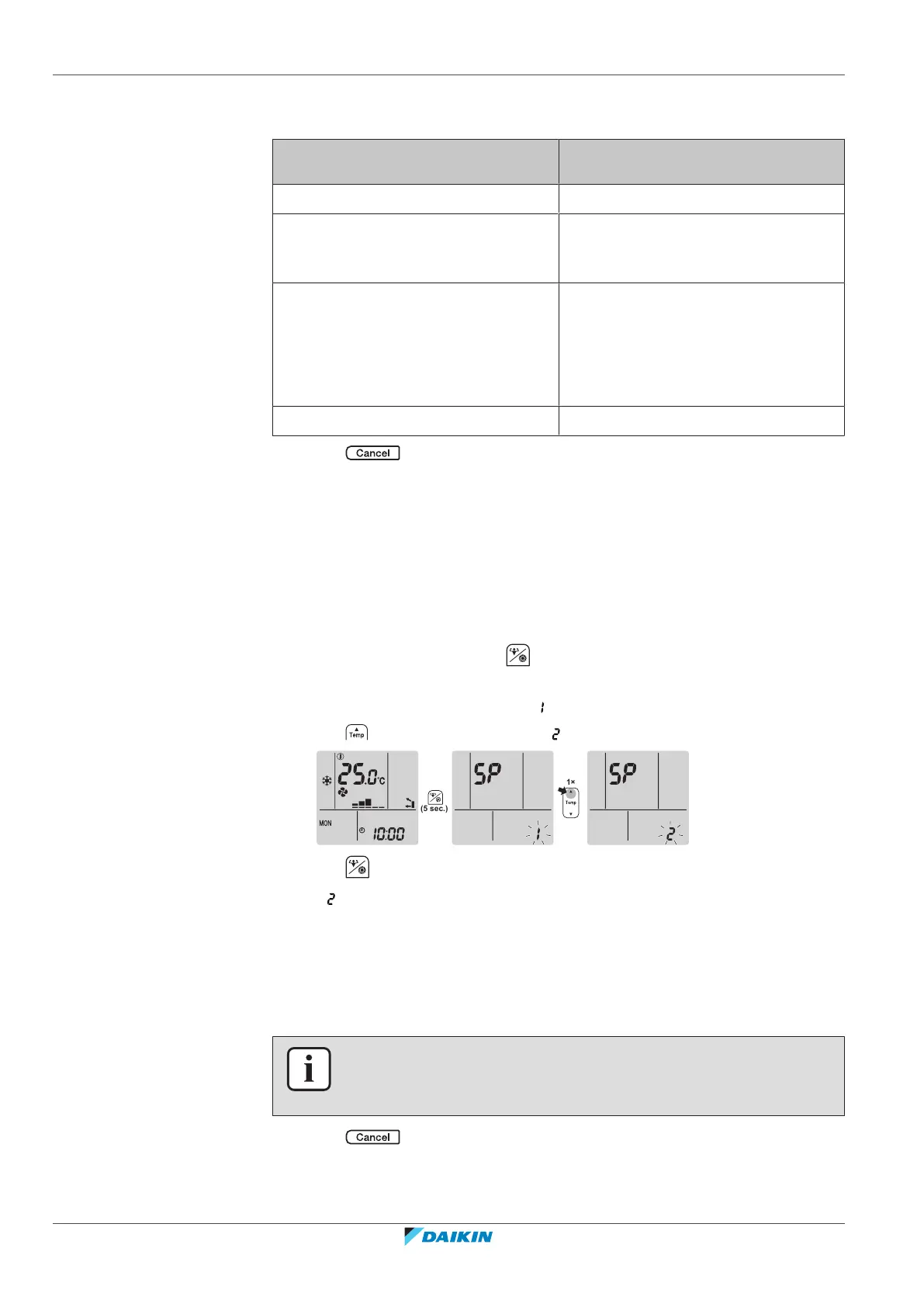
1 On the home screen, press for at least 5 seconds while the unit is not
operating.
Result: SP appears on the display. is blinking.
2 Press to change the SP menu to .
3 Press to confirm the selection.
Result: is blinking. The Daikin eye colour alternates between orange and partly
green.
4 Press the WPS button on your communication device (e.g. router) within
approximately 1minute. Refer to the manual of your communication device.
Result: If the connection was successful, the Daikin eye colour alternates between
blue and partly green.
INFORMATION
If the connection with your router is not possible, try procedure "To connect using
SSID and KEY number"[439].
5 Press to exit the menu.
Result: The display will return to the home screen.





 To Next Page