Installation Manual 3P291714-4
DCM601A72 iTM plus adaptor
25
4 Assigning a DIII-NET address for each air condi-
tioner
In a DIII-NET system, there is a management number for identifying each air conditioner.
This can be referred to as DIII-NET address. A DIII-NET address needs to be assigned
manually using the remote controller for each air conditioner.
There are remote controllers of several types, each requiring a different way of assigning
a DIII-NET address. This section describes commonly used two types of remote control-
lers, wired and navigation remote controllers, as examples.
CAUTION
• Make sure that the iTM plus adaptor is connected to the intelligent Touch Man-
ager and that both units are powered on. Unless both are powered on, you
cannot perform DIII-NET address assignment for your air conditioners.
• For how to assign addresses for Ventilator (Heat Reclaim Ventilator) equipment
and various adapters (such as a universal adapter), refer to the manual for each
product.
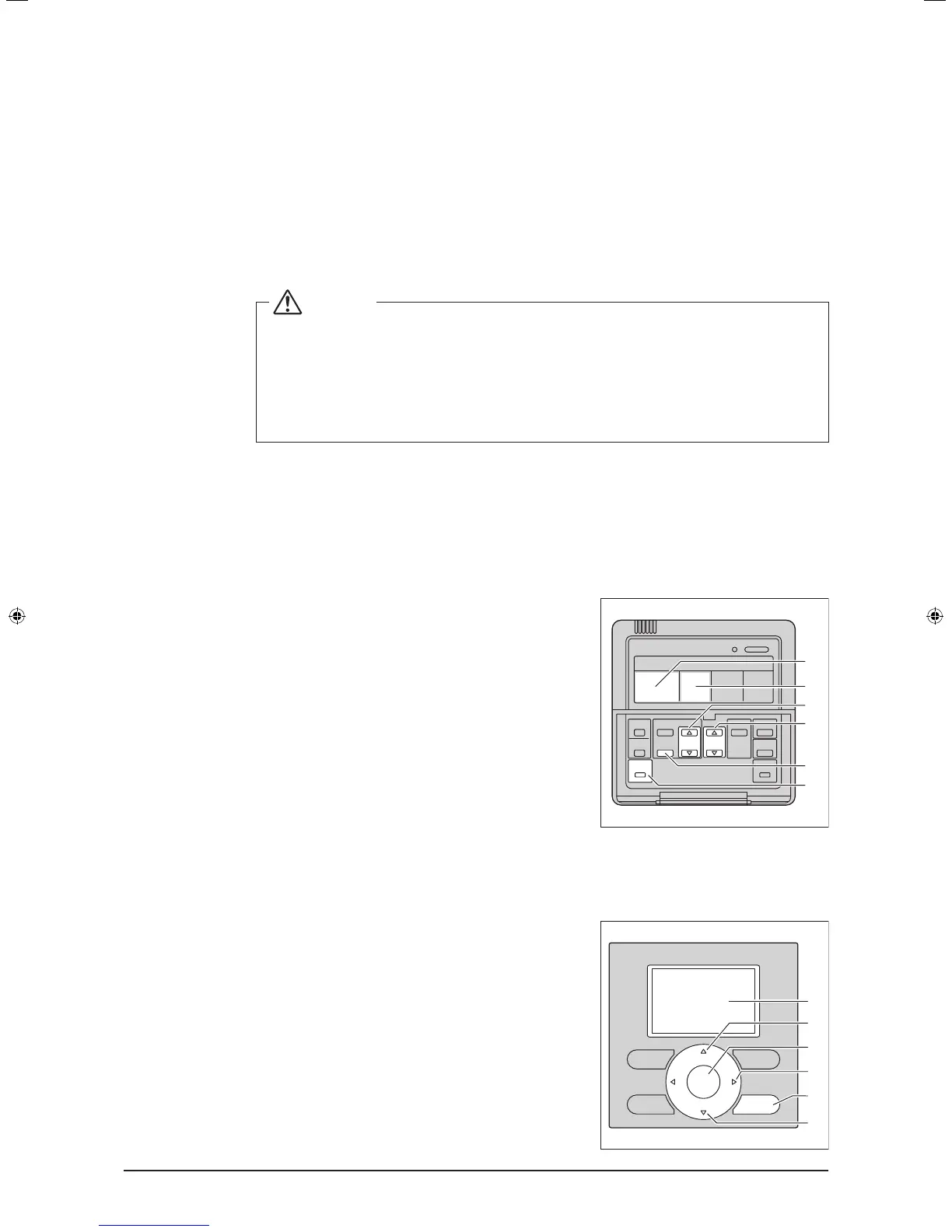
4.1 Remote controller buttons and areas
The names of buttons and areas of a wired remote controller used in this section are
shown below.
<Wired remote controller>
A Address display area
B Parameter number display area
C Programming time buttons
D Temperature setting buttons
E Timer ON/OFF button
F Inspection / Test operation button
B
A
C
E
F
D
The names of buttons and areas of a navigation remote controller used in this section are
shown below.
<Navigation Remote controller>
A Display
B Up button
C Menu / Enter button
D Right button
E Cancel button
F Down button
A
B
F
C
D
E
01_EN_3P291714-4.indd 25 3/26/2012 5:00:47 PM



 To Next Page