32
Installation Manual 3P291714-4
DCM601A72 iTM plus adaptor
English
6 Quick Operation Guide
This chapter describes how to start/stop the areas and management points registered
with the intelligent Touch Manager and display their information quickly. For detailed oper-
ation procedures, refer to the user’s manual.
6.1 Viewing target area and management point information in
list format
A
BB
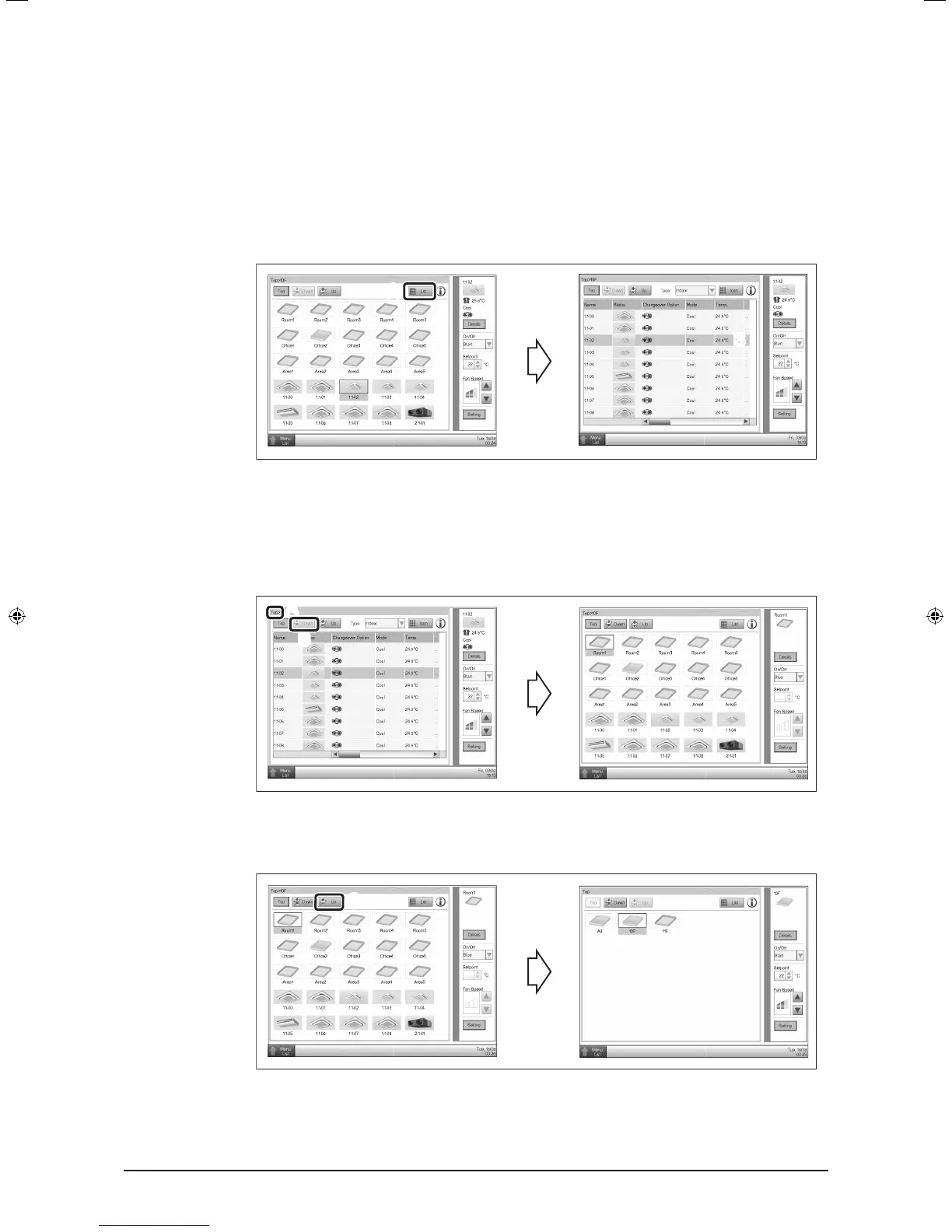
A Touch the List button.
B The screen changes to the list view, where the name, operation mode, set tempera-
ture, and fan speed of all areas and indoor units are listed.
6.2 Viewing target areas and management points
A
B
A You can check the hierarchy level of the current area or indoor unit.
B Touch the Down button to go to the area being selected and view the areas and
management points in it.
C
C Touch the Up button to go to the area one level above the current area.
01_EN_3P291714-4.indd 32 3/26/2012 5:00:49 PM



 To Next Page