Installation Manual 3P291714-4
DCM601A72 iTM plus adaptor
29
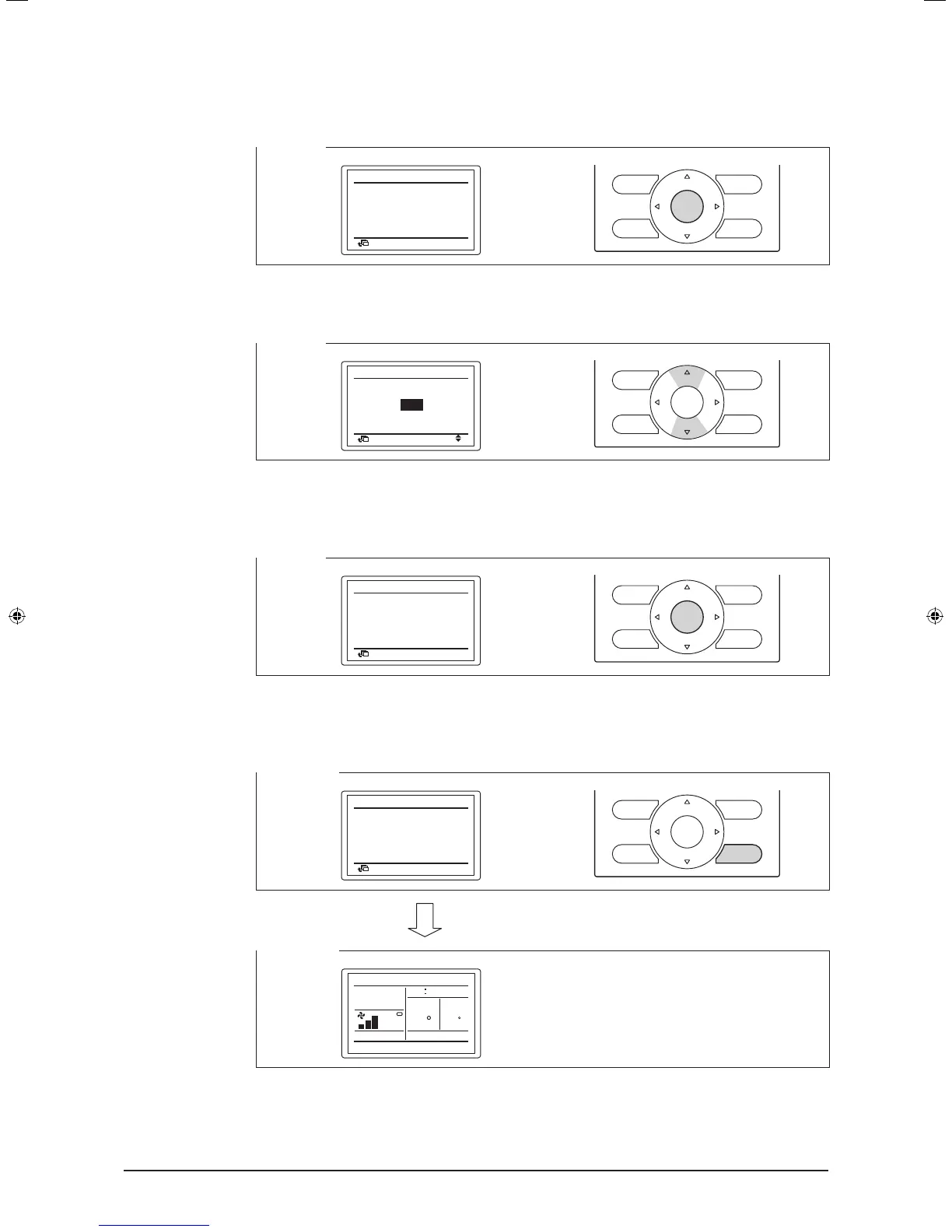
4. Press the Menu/Enter button to release the current address setting.
The mode indication changes from “Setting” to “Release”. You are now ready to change
the DIII-NET address.
<Step 4>
Group No
Set
1-00
Return
Release
Group No.
setting
(Group)
5. Using the Up/Down buttons, select the address you want to set.
<Step 5>
Group No
Release
1-00
Return
Change
Group No.
setting
(Group)
6. Press the Menu/Enter button.
The DIII-NET address has been set.
<Step 6>
Group No
Set
1-03
Return
Release
Group No.
setting
(Group)
7. Press the Cancel button three times. You are now brought back to the screen shown in
Step 7-2.
<Step 7-1>
Group No
Set
1-03
Return
Release
Group No.
setting
(Group)
<Step 7-2>
Cool
Set temp
0000
86
86
F
Room
F
01_EN_3P291714-4.indd 29 3/26/2012 5:00:49 PM



 To Next Page