30
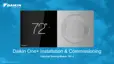
» The welcome screen displays basic instructions upon powering the
thermostat. Select the right language and "use large font” if desired,
then click continue.
» Select the right equipment type. Unitary is the default, so just click
continue if you have unitary eqipment.
» Under "setup options" is a link to do a factory reset of the thermostat.
» The learn more screen displays the current thermostat firmware
version and an option to check for a software update.
Commissioning the Daikin One+ Smart Thermostat
1
2



 To Next Page