58
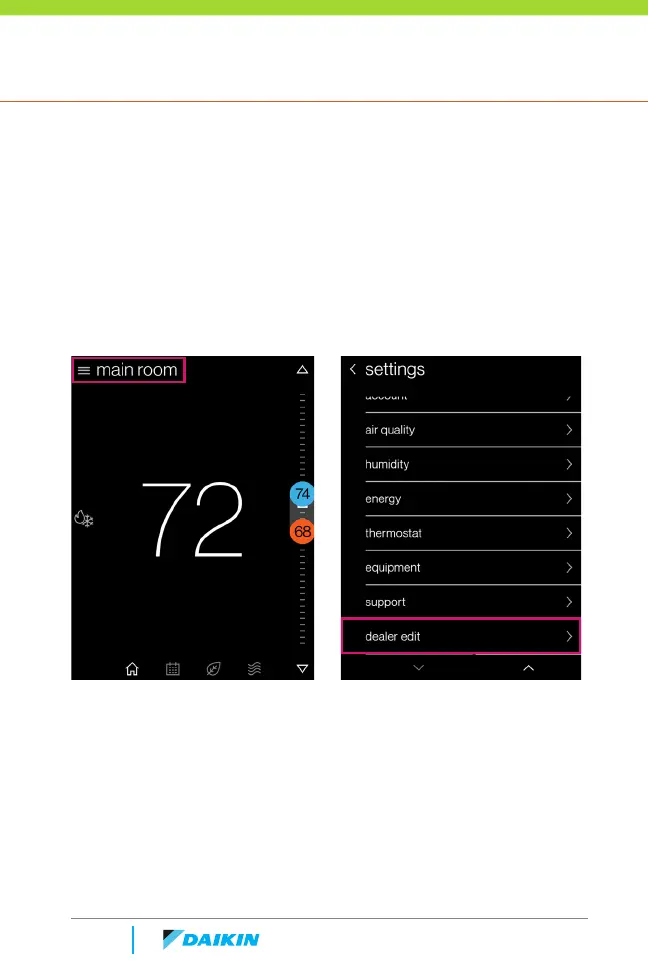
» Select the settings menu icon at the top left of the main screen.
» Scroll to the bottom of the list and select "dealer edit"
» Select "continue" and enter the 4-digit PIN as shown in the
screens below.
How to return to Dealer Edit mode (Begin set-up) Returning to the
dealer edit mode will allow you to return to the installer set-up screens
to make advanced adjustments to the Daikin One+ and equipment
settings.
Dealer Navigation



 To Next Page