60
How to Set-up Humidification and
Dehumidification Set-points
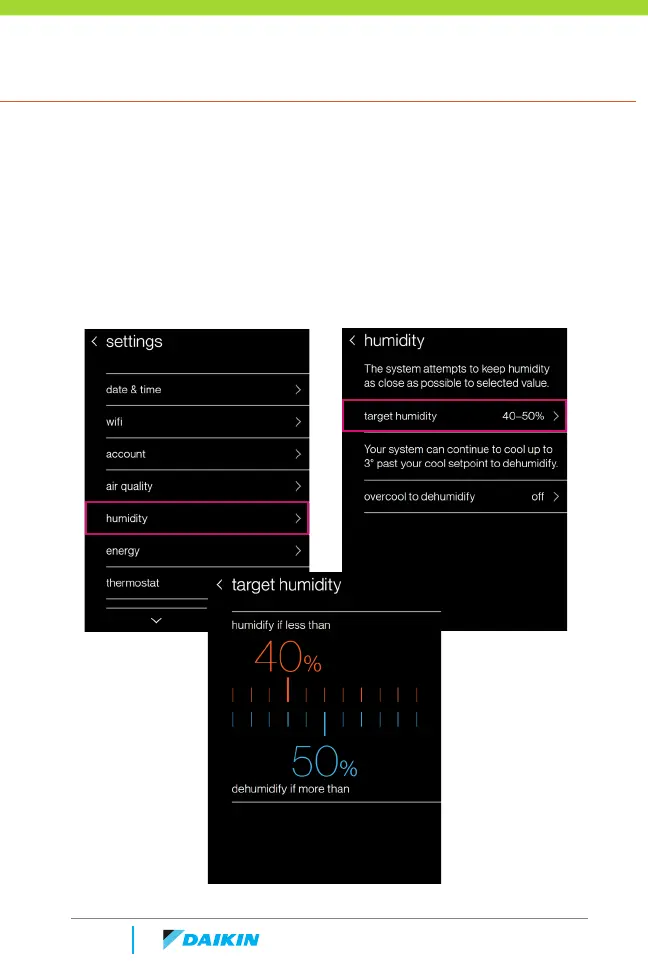
On the homeowner menu navigate to settings > humidity > target humidity
» The top value displays the target humidification level.
» The bottom value displays the target dehumidification level.
» Drag either value left or right to change the target humidity range.
» The thermostat attempts to keep the humidity as close as
possible to the selected range, using the capabilities of the HVAC
equipment installed.



 To Next Page