MANUALE INSTALLATORE RELEASE 00.1 PAG. 8
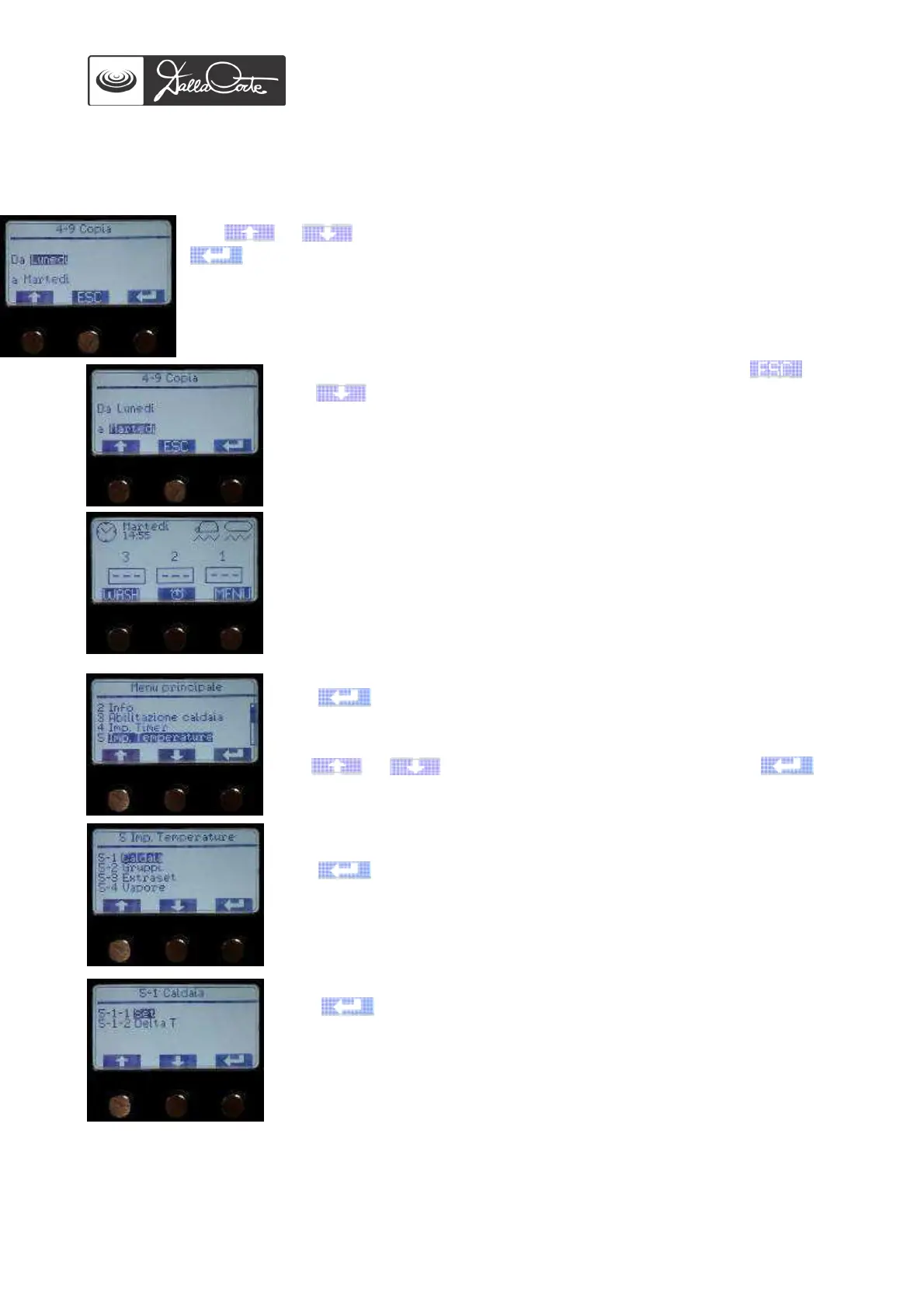
Use or to change the day to which values shall be copied, then push
to confirm.
Copy the daily program set to all the other days. Otherwise, enter the day you wish
to program differently and follow the above-mentioned steps.
If the ON / OFF values of each unit are set on 00:00 on a specific day, the unit will be
off throughout that day.
Once all the days of the week have been programmed, push and
then until you get to main menu.
This picture shows the clock icon and the boxes corresponding to the
groups. When 3 hyphens are shown in each box, it means timer is
enabled and groups are in stand-by mode.
5- TEMPERATURES SET UP
Push to access this menu. The display will show:
Use or to choose the desired menu, then push to
enter.
5-1 Steam boiler temperature
Push to access this menu. The display will show:
5-1-1 Steam boiler temperature set up
Push to access this menu and set up steam boiler temperature
(default setting: 120°).














 To Next Page