17
20-06-2023
50400 >
In the event of new product developments, Dancutter reserves the right to change the technical description without advance notice.
Authorised Representative in the United Kingdom: Mini-Cam Limited Unit 33, Ravenscraig Road, Little Hulton, Salford, M38 9PU.
© Copyright 2021 Dancutter A/S. Dancutter A/S is a Halma Company. Dancutter A/S, Livøvej 1 A, DK-8800 Viborg, +45 9651 2150, info@dancutter.dk, dancutter.com
Working in a pipeline can dirty the cutter camera, impairing the
quality of the images on the control unit monitor or FPV head-
setandmakingtheworkmoredifcult.Thecutterisequipped
with a spray nozzle, which makes it easy to clean the camera
while working.
REMEMBERtoaddwasheruidbeforeusingthecutterifyou
wanttouseuidtocleanthecamera.Itisalsobenecialto
just use dry air. “Empty tank for a dry task” – “Wet tank for a
wet task”.
Position for operating the cutter
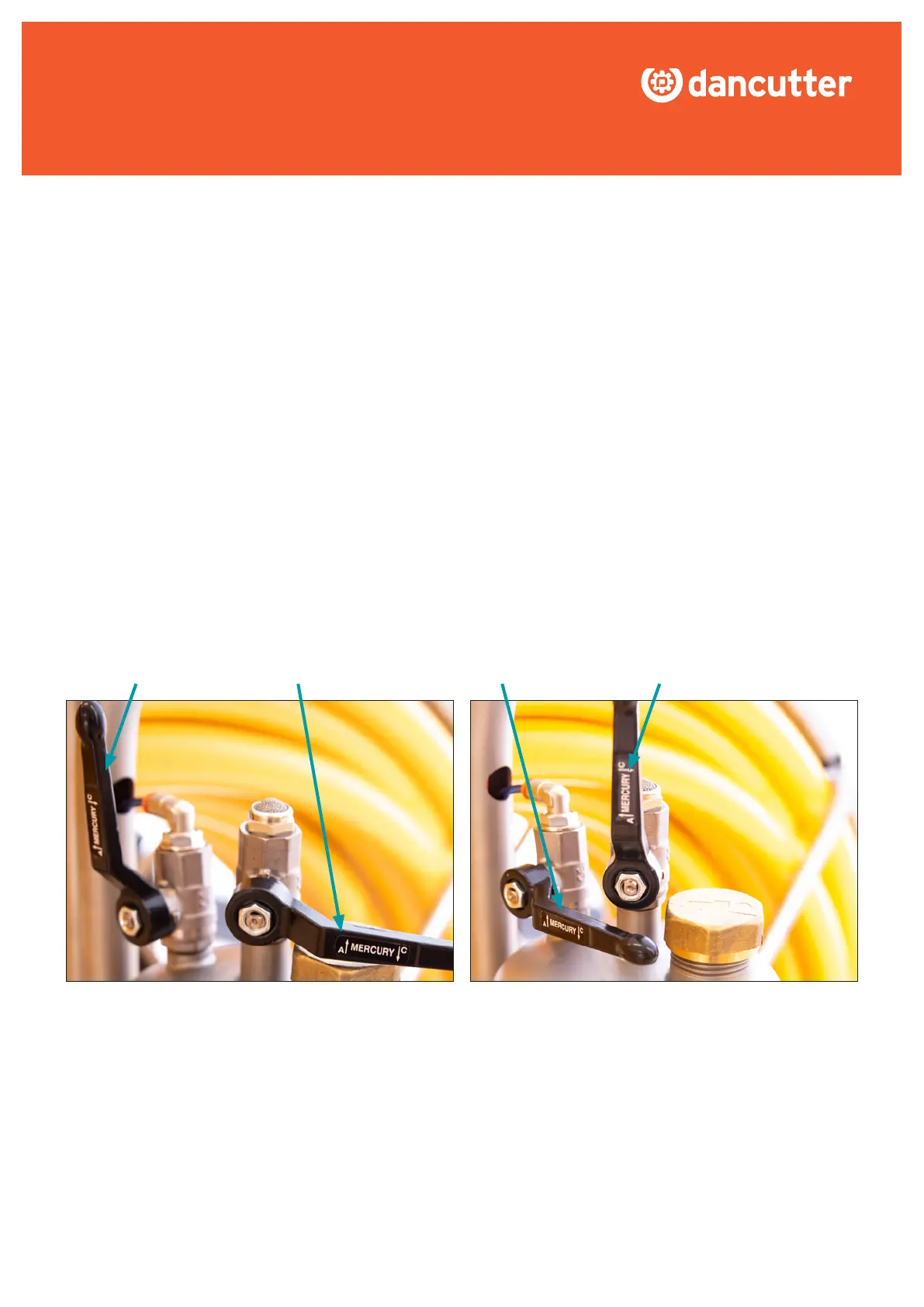
Before starting to work, set the two ball valves so that the supply
of air to the tank is opened and the ventilation is closed.
7.1.2 Camera cleaner tank
IMPORTANT! Disconnect the supply air from the air processing
systemanddepressurisethetankbeforeaddingwasheruid.
This is why it is IMPORTANT to correctly position the two ball
valves for the camera cleaner tank.
The illustration below shows how the two ball valves must be
positionedforoperatingandforaddingwasheruid.
Position for adding washer uid
Set the ball valves in the opposite positions. Close the valve
supplying the tank with compressed air and open the valve
for venting the tank. Completely empty the tank of air before
dismantling the brass lid (using a suitable tool). Then add
washeruid.
OPEN OPENCLOSSED CLOSSED


 To Next Page