41
20-06-2023
50400 >
In the event of new product developments, Dancutter reserves the right to change the technical description without advance notice.
Authorised Representative in the United Kingdom: Mini-Cam Limited Unit 33, Ravenscraig Road, Little Hulton, Salford, M38 9PU.
© Copyright 2021 Dancutter A/S. Dancutter A/S is a Halma Company. Dancutter A/S, Livøvej 1 A, DK-8800 Viborg, +45 9651 2150, info@dancutter.dk, dancutter.com
10.0 Quickguide FPV headset
First time setup
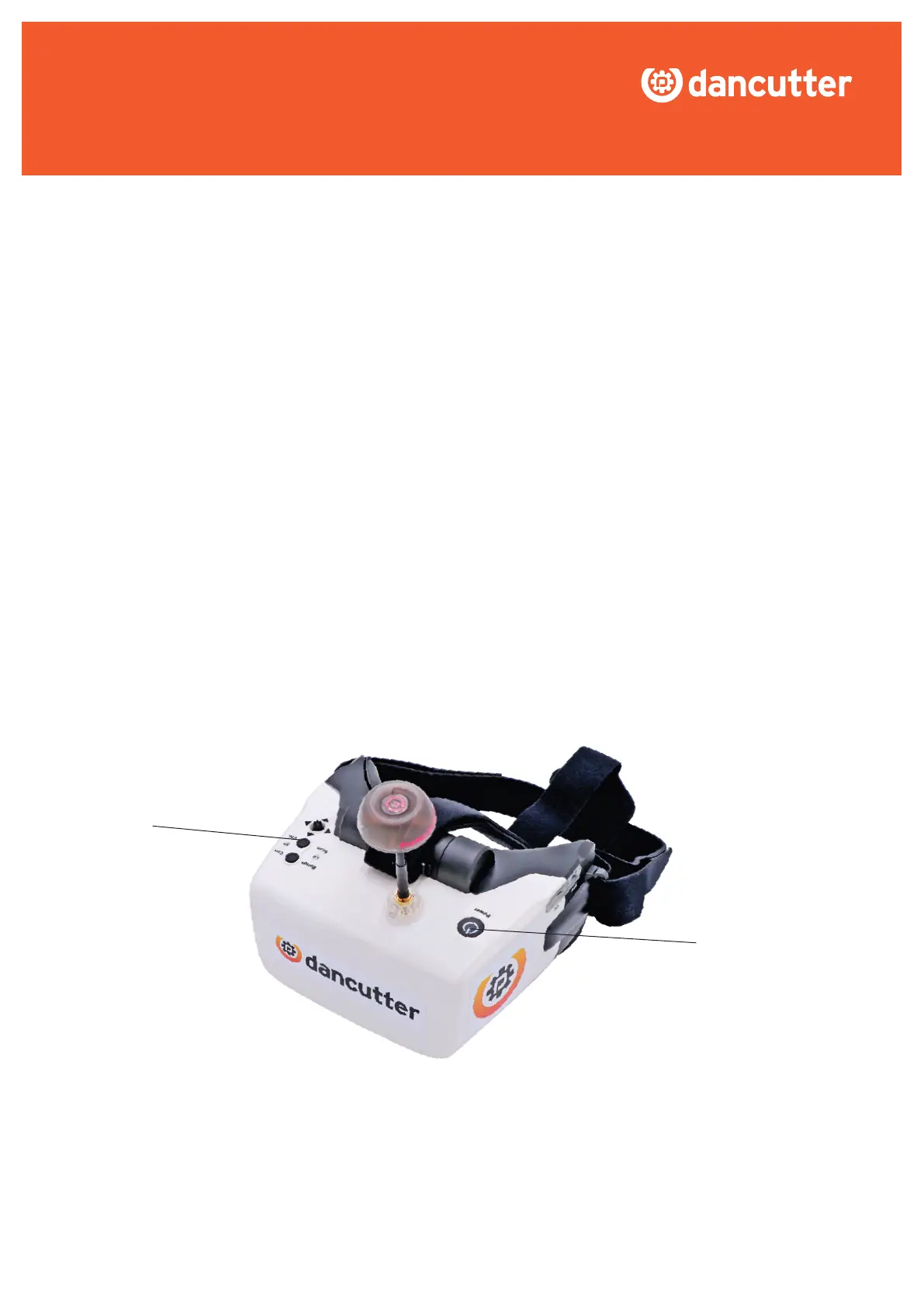
· Turn the headset on with the POWER button.
· Make sure that the control unit on the cutter is turned on.
· Press and hold the button SCAN for 1-2 seconds while the headset
ndsthesignalfromthecontrolunit.
· Thevelcrostrapsontheheadsetcanbeadjustedtotyoursize.
· To charge the headset battery use the included micro usb cable.
SCAN
POWER


 To Previous Page