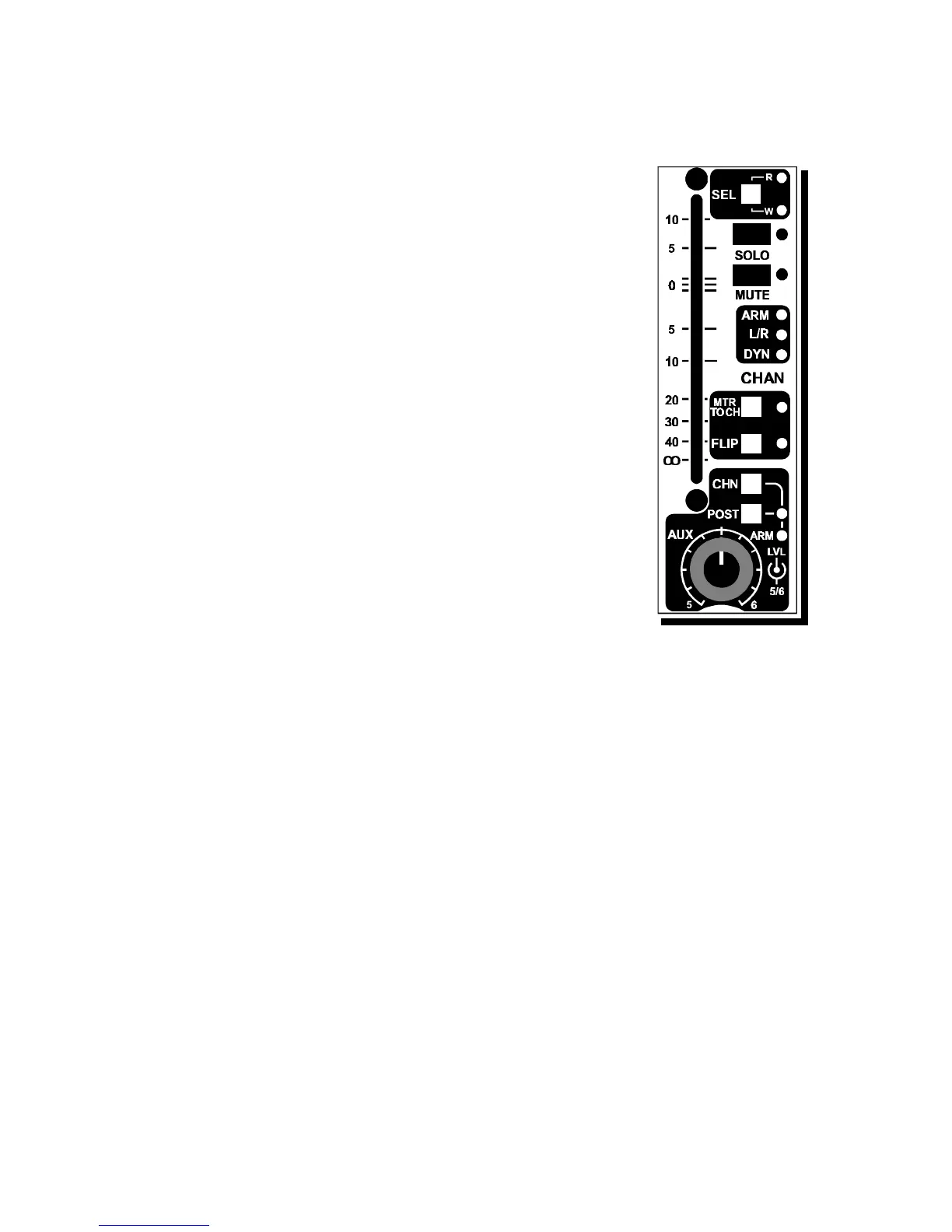
3.8 SOLO
The SOLO switch has an adjacent LED as an indicator for the solo.
The SOLO system has two modes, PFL (pre fade listen), AFL
(after fade listen). Master status switching (located in the master
section) selects the PFL or AFL mode for the entire console
(except for the Aux master solo's).
Activating the solo switch in the PFL mode will send the prefader
signal of the Channel section to the CRM speakers.
In the AFL mode (non destructive), the post channel panpot
signal is heard, and all other modules are not muted within the
stereo mix buss
3.9 MUTE
The MUTE system is a special soft-muting circuit, click-free and
associated with the automation circuitry.
A MUTE indicator is fitted alongside the MUTE switch.
3.10 FADER
The 60 mm linear fader controls the internal VCA. An optional
Motorfader can be fitted which follows the VCA control voltage.
Today's VCA's have very low distortion and very impressive
specs, when the VCA is in circuit, noise is kept to an absolute
minimum and the ultra low distortion is of the second harmonic
type responsable for a natural sound.
3.11 CHANNEL / MIX STATUS SECTION - USING ARM
There are four white sections with LED's that indicate when the ARM system is
active and let you know what is routed. The upper ARM status section has
three LED's; yellow for activated routing assignments, Green for assigned L/R
busses, and another green for assigned dynamics to that section of the module.
These three function indicators are associated with the input section
Pressing the ARM switch shows you in the Cinemix's master section what digital
buss is connected to the CHANnel (or MIX) path. If you would like to buss the
CHANnel and MIX sections from the same module - to the same busses - at the
same time, there is no problem.
The L/R LED indicates that the CHANnel (or MIX) path is routed to the main
left/right mix busses.
MTR CHAN SWITCH
The MTR CHAN LED indicates that the channel meter (which normally follows
the tape switch) is switched to follow the input (mic or line) section.
On top of this it is possible to jumper the next possibilities.
Meter follows Chan pre or post fader
Meter follows MIX pre or post fader
Cinemix manual page: 32



 To Next Page