DC-2300 User Manual v1.0
32
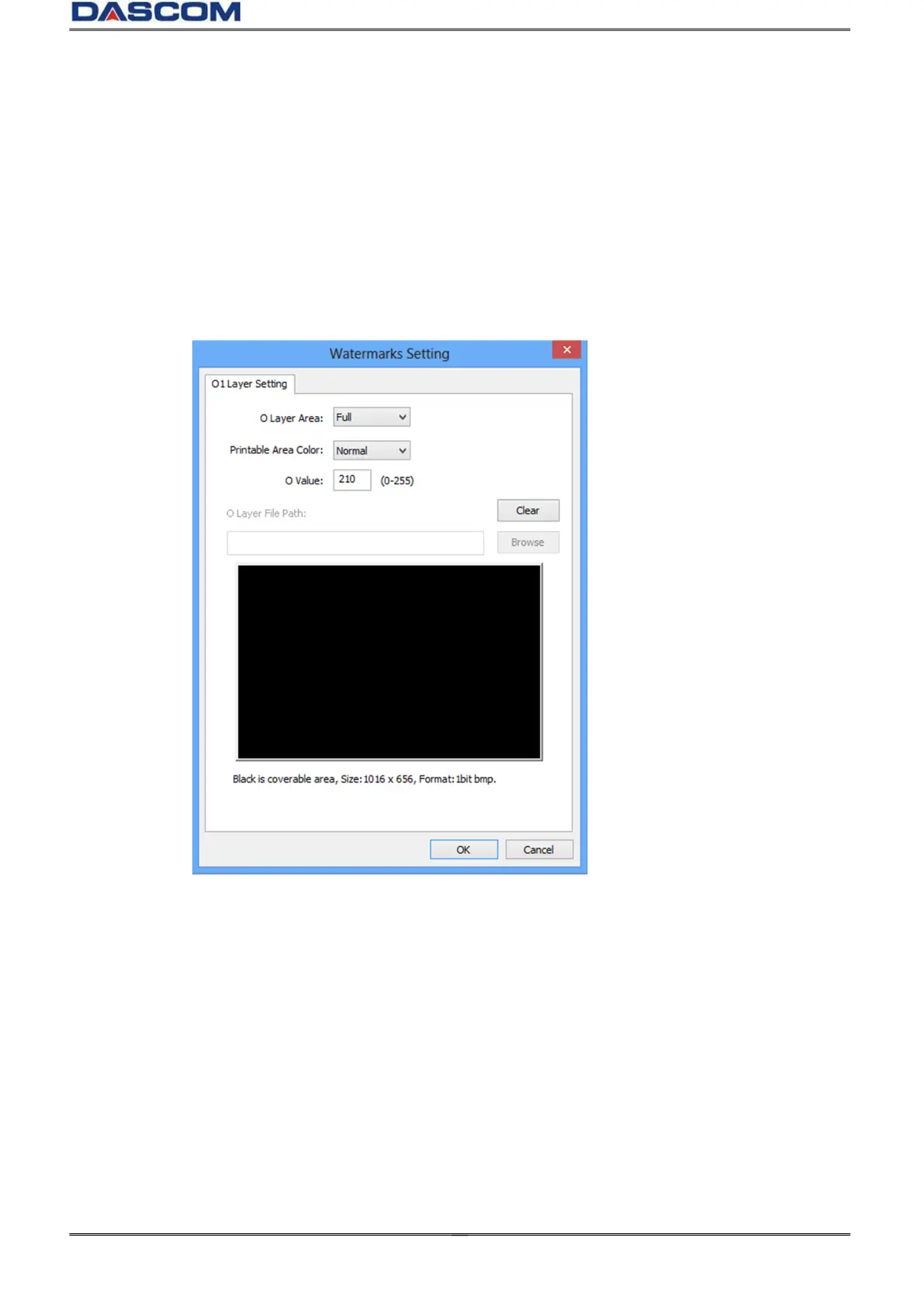
Watermarks Setting
O Layer Area: Printing area and content of layer O,"None" , "Full Page" and "From Bitmap".
Coverage mode: Normal and reverse. O layer do not print when choosing” Full Page” in the O
Layer Area and choosing “Reverse in the Coverage mode.”
O Value: The threshold range is from 0 to 255, the large the value is, the more obvious the printing
effect of the layer is.
O Layer File Path: Choose “From Bitmap” in the O layer Area. Click "Browse” to select the path to
add a custom bitmap, which must be a monochromatic bitmap with1016 x 656 pixels.
Clicking the "clear" button will delete the added bitmap path.



 To Next Page