User guide Care and maintenance
129
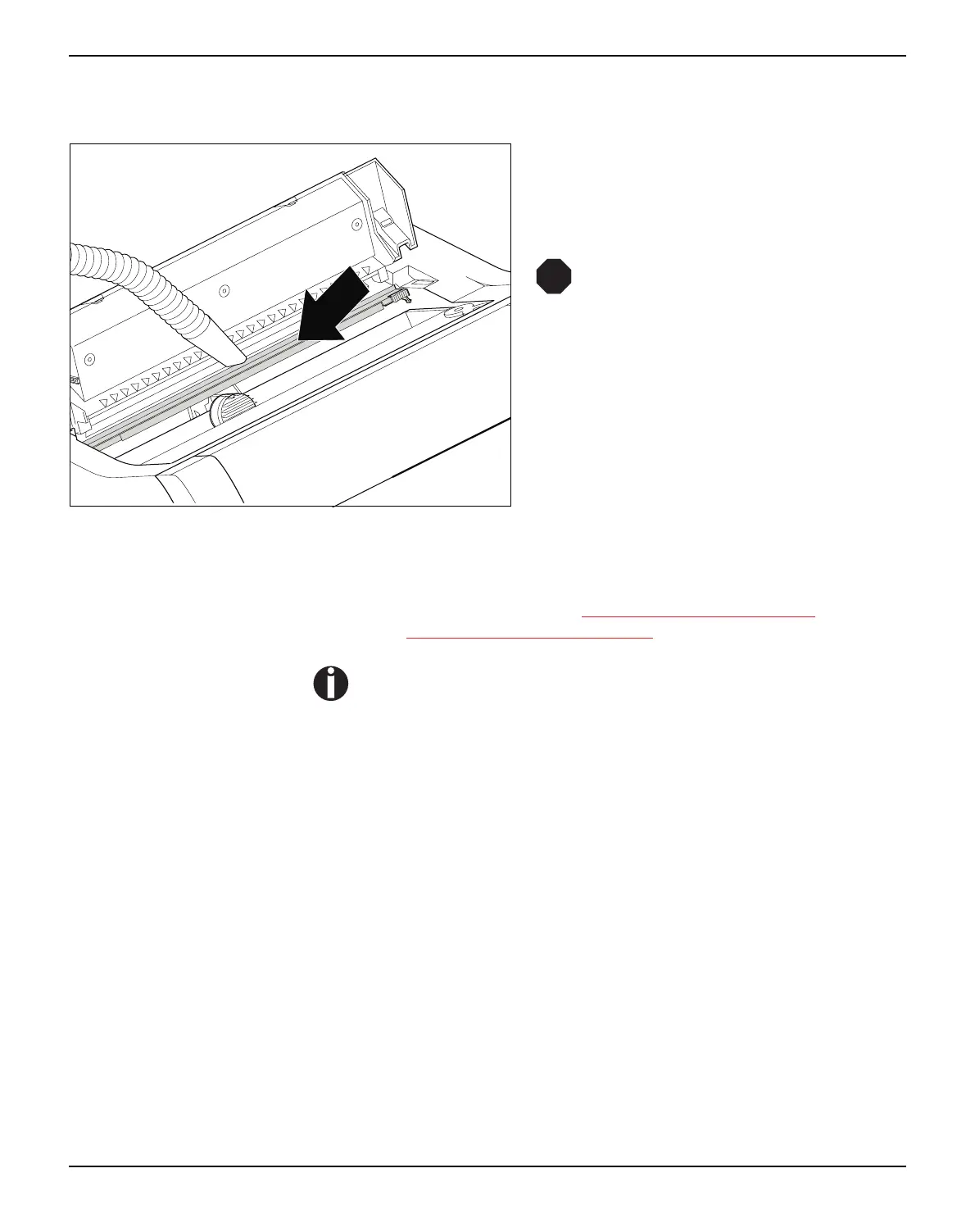
Cleaning the platen
Switch off the printer and open the upper cover
after 4 to 5 seconds.
Remove dust and possible ribbon and ink re-
mains carefully from the platen.
Avoid touching parts and compo-
nents in the printer interior.
Ribbon Check whether the ribbon is worn or damaged. The ribbon must be
replaced if it is frayed, see Changing the ribbon cassette
, (page 17)
and Error messages via the display
, (page 122).
The service life of the ribbon is 20 million characters.
STOP


 To Next Page