User guide Printer drivers
29
Loading optional
firmware
If you download new firmware as described below, all menu
settings except the settings for the transmission speed of the
Ethernet interface and the IP address administration will be
overwritten. For this reason you should print a menu dump in
or to be able to reestablish the previous settings if necessary
(see Printing out menu configurations (Print)
, page 61).
To load new firmware, proceed as follows.
The most current version of the firmware can be downloaded
from our internet
page.
1 Switch off the printer. Connect your DOS PC (LPT1:) to the par-
allel port on the printer.
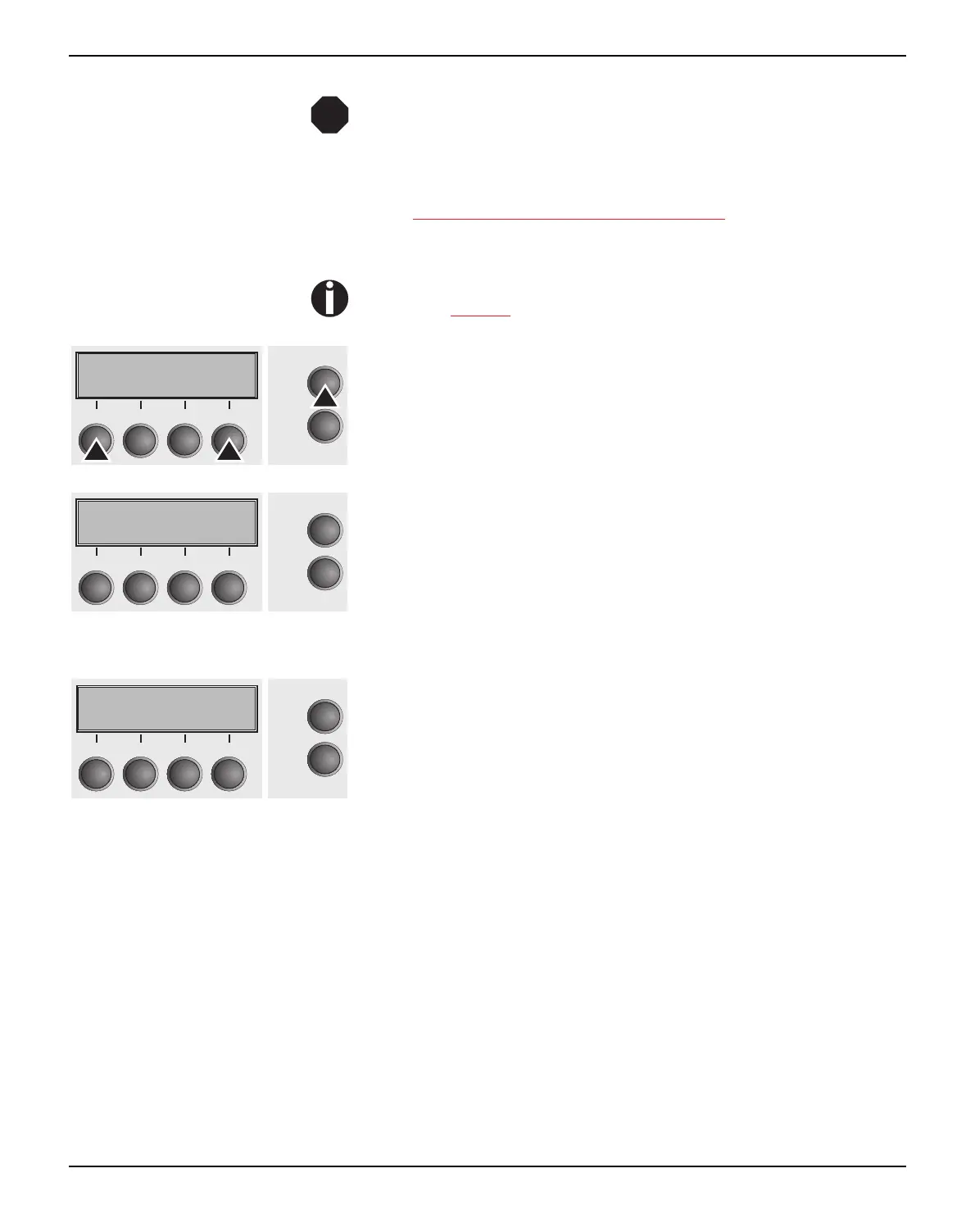
2 Press keys 1, 4 and Online. Hold the keys pressed.
3 Switch on your printer.
The printer is ready for the download when BOOT appears on its
display.
4 In Windows open the MS-DOS window.
5 Copy the file, e.g. DOWNLOAD.FDF, to your printer:
COPY /B X:\path\DOWNLOAD.FDF PRN
(X:\path stands for the drive and the directory in which the file is lo-
cated.)
A progress indicator (bar) and DOWNLOAD FIRMWARE appears
on the display during the download; alternatively, an error message
is displayed:
PRG = Firmware
GEN = Character set or font (character generator)
P+G = Firmware and character set
BOO = Firmware, character set and boot block
The number of the currently transferred data block (frame) is dis-
played in addition in the top line of the display on the right.
DOWNLOAD OK and BOOTAREA SKIPPED is displayed briefly
when the procedure has been completed successfully. The printer
then runs through its initialisation routine, after which it is ready for
use.
Troubleshooting It is necessary to repeat the entire procedure if an error occurs dur-
ing the download. This is indicated by a corresponding message on
the display. It may be that not all fault messages can be shown on
the display. In this case, the operating system of your PC displays
an error message such as “Write error on device”.
STOP
Online
Setup
21
3
4
Online
Setup
BOOT
21
3
4
Online
Setup
Download
firmware
21
3
4



 To Next Page