User guide The Menu
67
Settings for interfaces (I/O) In this parameter group, you can choose various settings for the
printer interfaces. See also Interfaces
(page 167).
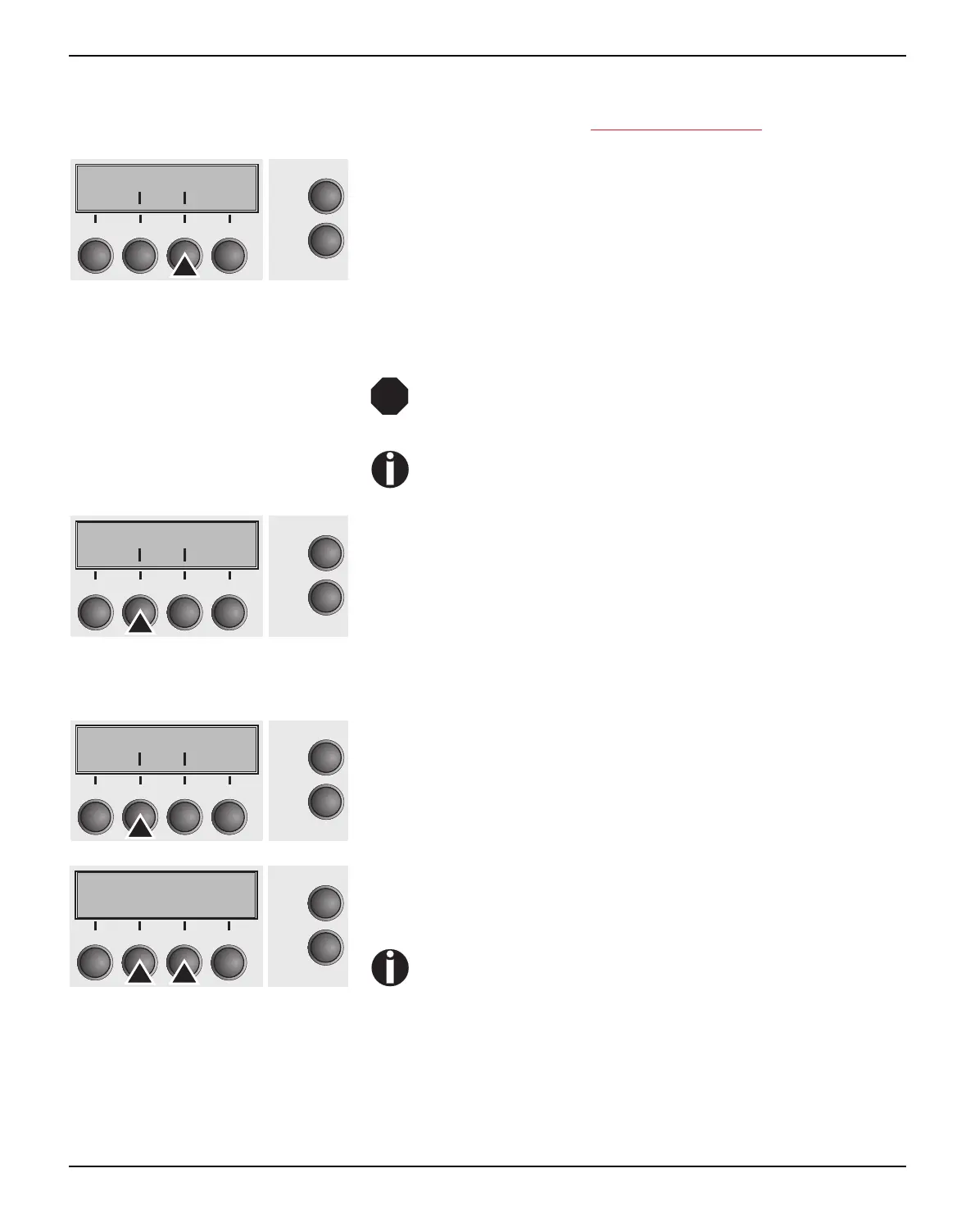
Press I/O (3) key.
Serial interface (Serial) This parameter group only is valid, if an optional serial interface
module is installed.
To ensure the proper functioning of serial data trans-
fers, the serial settings of the printer and computer
(host) must coincide.
Depending on your printer model the serial interface is
already installed or it is available as an option.
Press Serial (2) key.
Data transmission rate (Baud) Selects the data transmission rate (baud rate) (baud = bit per
second).
Press Baud (2) key.
Use the < (2) or > (3) key to select the desired setting.
Setting Options: 600, 1200, 2400, 4800, 9600, 19200
Default Setting: 9600
Printer and computer must have the same baud rate.
Confirm the setting by pressing the Set key (1).
Bidir I/O
Online
Setup
21
3
4
Back Next
STOP
Serial Interf.
Online
Setup
21
3
4
Back Next
Baud Format
Online
Setup
21
3
4
Back Next
Baud= 9600 *
Online
Setup
Set < > Exit
21
3
4



 To Next Page