Paper handling User guide
40
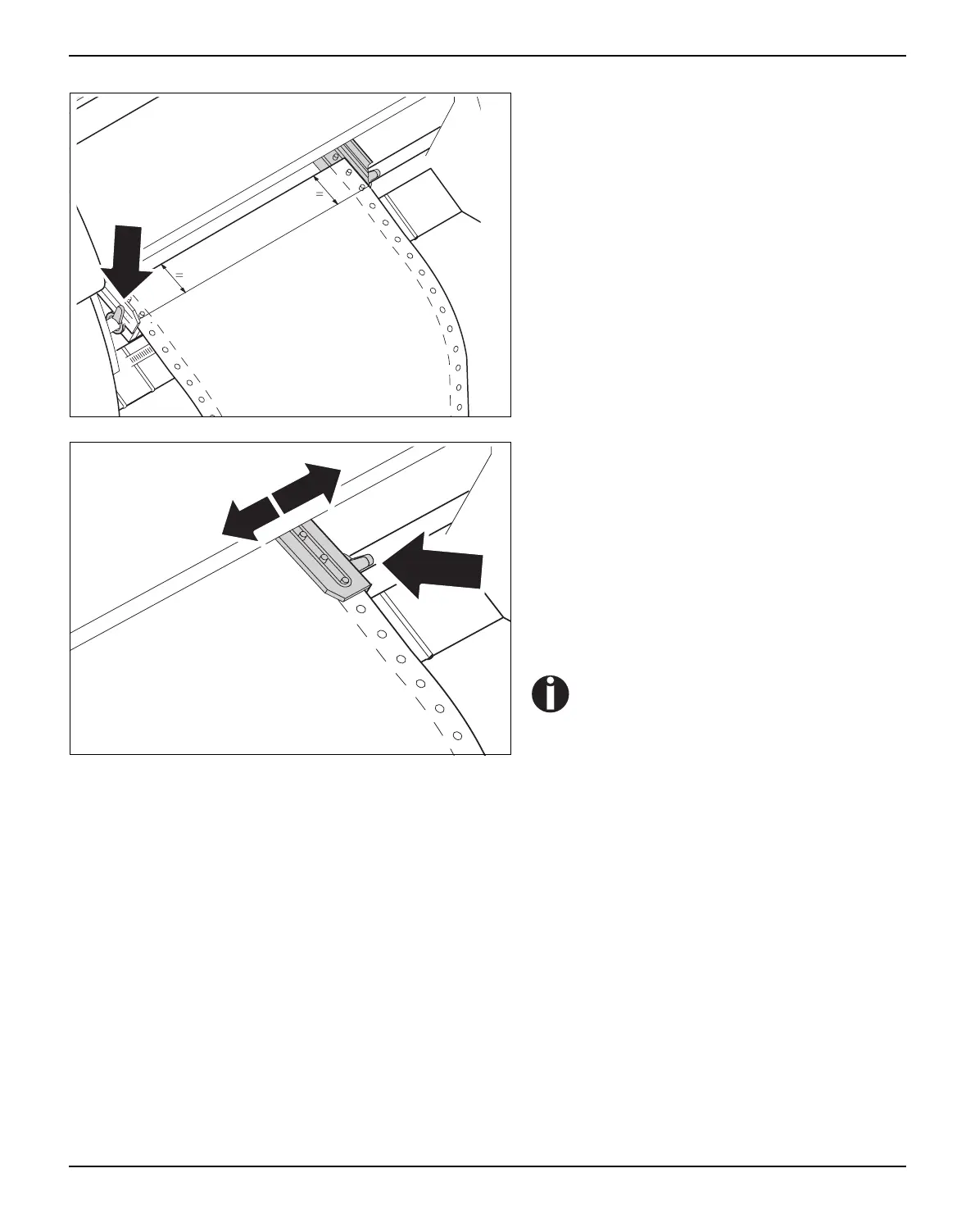
Release the coloured latch lever of the left-
hand tractor and align the tractor so that the
first printing position on the paper matches the
X mark on the printer housing.
Lock the coloured lever again.
Place fanfold paper into the left-hand tractor.
Open the coloured latch lever of the right-hand
tractor and align it to the paper width.
Insert the fanfold paper into the right-hand trac-
tor.
Make sure that it is inserted by the same length
as on the left-hand tractor in order to avoid any
paper jam.
Close the tractor flap and lock the tractor by
turning the tractor lever to the rear.
Do not tension the paper excessively
to avoid tearing the perforation holes;
do not allow excessive slack since in
this case the paper will bulge and
there may be problems in the feeding
process.



 To Next Page