RAPID CONFIGURATION
1
STEP 4 – INSTALLING VISISET™ CONFIGURATION PROGRAM
VisiSet
™
is a Datalogic reader configuration tool providing several important advantages:
• Autolearning Wizard for rapid configuration and for new users;
• Defined configuration directly stored in the reader;
• Communication protocol independent from the physical interface allowing to consider the
reader as a remote object to be configured and monitored.
To install VisiSet™, turn on the PC that will be used for the configuration, running
Windows 98, 2000/NT, XP or Vista, then insert the VisiSet™ CD-ROM, wait for the CD to
autorun and follow the installation procedure.
This configuration procedure assumes a laptop computer, running VisiSet™, is connected to
the reader's auxiliary port.
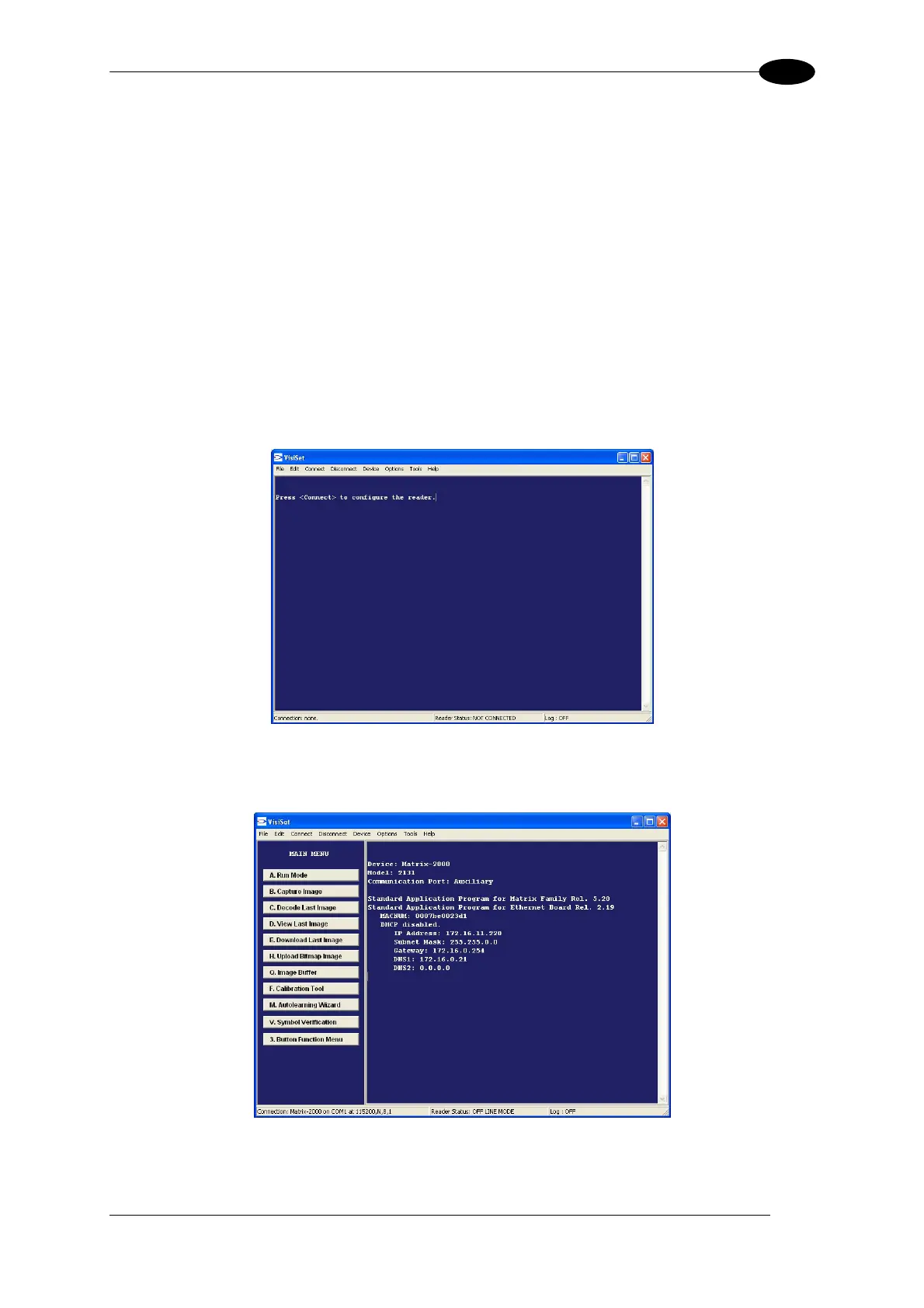
After installing and running the VisiSet™ software program the following window:
Figure 10 - VisiSet™ Opening Window
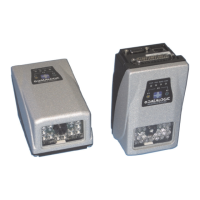
Set the communication parameters from the "Options" menu. Then select "Connect", the
following window appears:
Figure 11 - VisiSet™ Main Window After Connection
The Autolearning Wizard option is advised for rapid configuration or for new users. It allows
reader configuration in a few easy steps.
9




 To Next Page