CONFIGURATION
33
4.7 OM-3000 STAR-SYSTEM™ NETWORK SETUP
When the OM-3000 cradle model is used in an RS485 network, it must be initially
configured. To do this using configuration barcodes, follow the procedure below
using any Dragon™ M131 reader.
Set OM-3000 Address
1.
Ì$+RF4Î
+
four digits for the OM-3000 Address (from 0000 to 1999).
All cradles used in the network must have different addresses.
Exit and Save configuration
2.
Ì$-?Î
3.
Read the Bind code to pair the Dragon™ M131 to the OM-3000 cradle for
configuration.
Bind
Ì$+RN0$-IÎ
The green LED on the Dragon™ M131 will blink; the reader is ready to be
inserted into the cradle.
4.
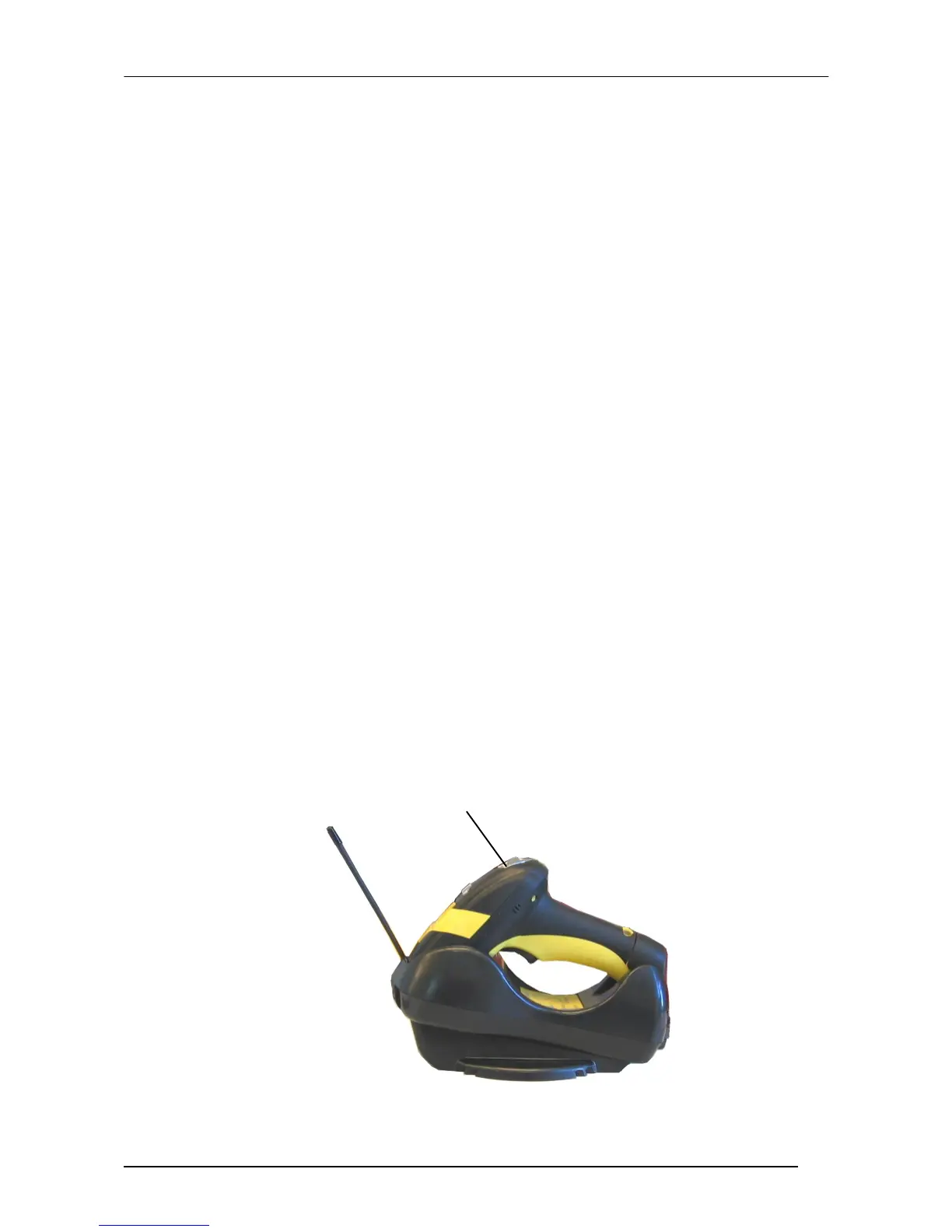
Firmly insert the reader into the OM-3000 cradle within 10 seconds, a beep
will be emitted, signaling that the OM-3000 cradle has been paired to the
Dragon™ M131, and the green LED on the reader will go off.
green LED







 To Next Page