18
QuickScan 6000/6000 Plus
Data Format Settings
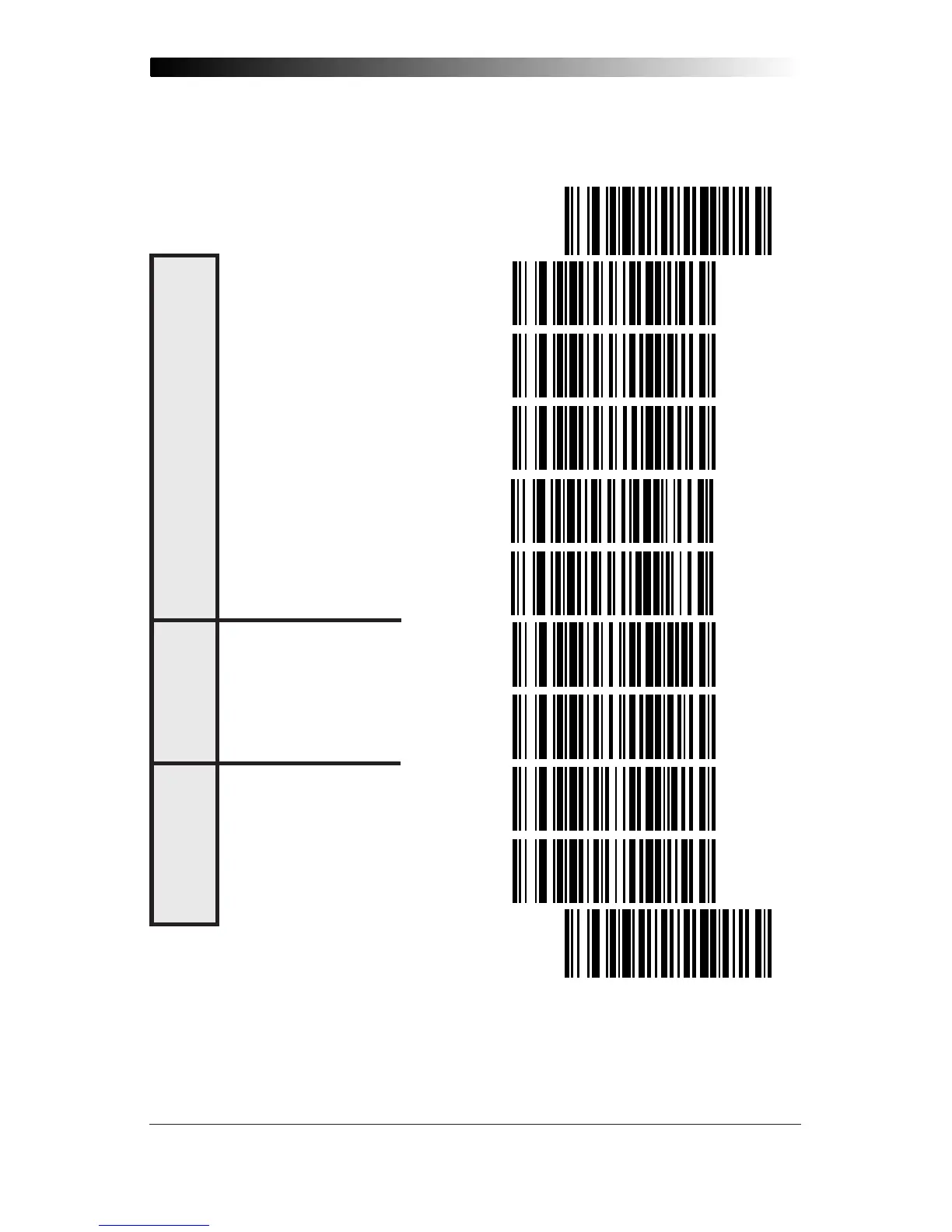
The bar codes on this page can be used to select the data format configu-
ration needed to communicate with your system.
SET ----------------------------------------------
NONE -------------------------------
EVEN --------------------------------
ODD --------------------------------
MARK -------------------------------
SPACE ------------------------------
ONE ---------------------------------
TWO --------------------------------
SEVEN BITS ------------------------
EIGHT BITS -------------------------
END ----------------------------------------------
S
TOP
B
ITS
D
ATA
B
ITS
P
ARITY










 To Next Page