12 S-Class
“Print Side Media Sensor” using Fan-Fold Stock –
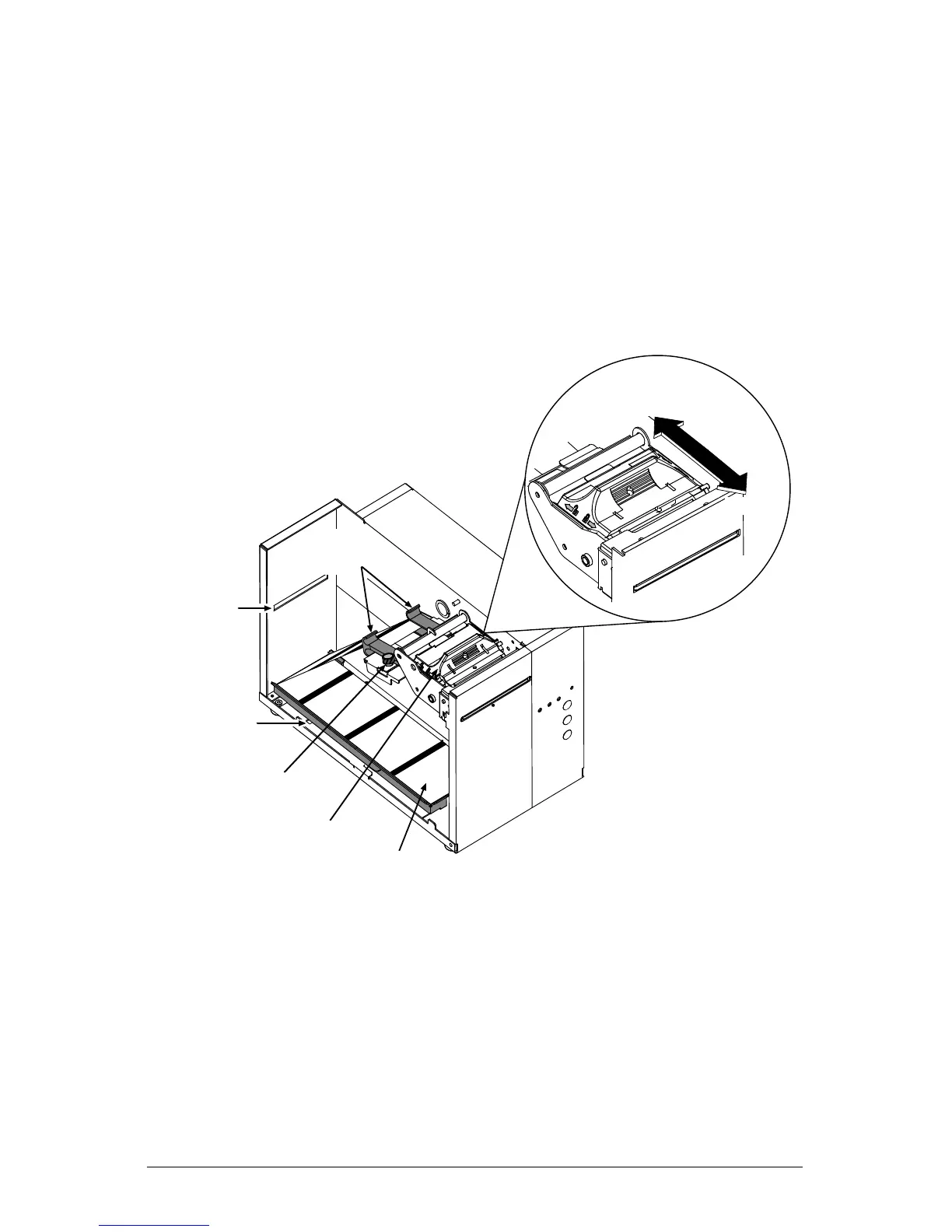
With the ticket TOF Marks facing ‘up’ (toward you), place the
stock in the bottom of the printer. (If using an external supply,
route the ticket stock into the printer through the Rear or Bottom
Slots.)
Ensure that the Printhead Latch is in the ‘Locked’ position.
Bottom Slot
Ticket Stock
Thumbscrew
Printhead Latch
Rear Slot
Unlocked
Locked
Media
Guides










 To Next Page