116
PGM screen.
13.2.7 Audio-for 3 cams & 2 cams Interfaces
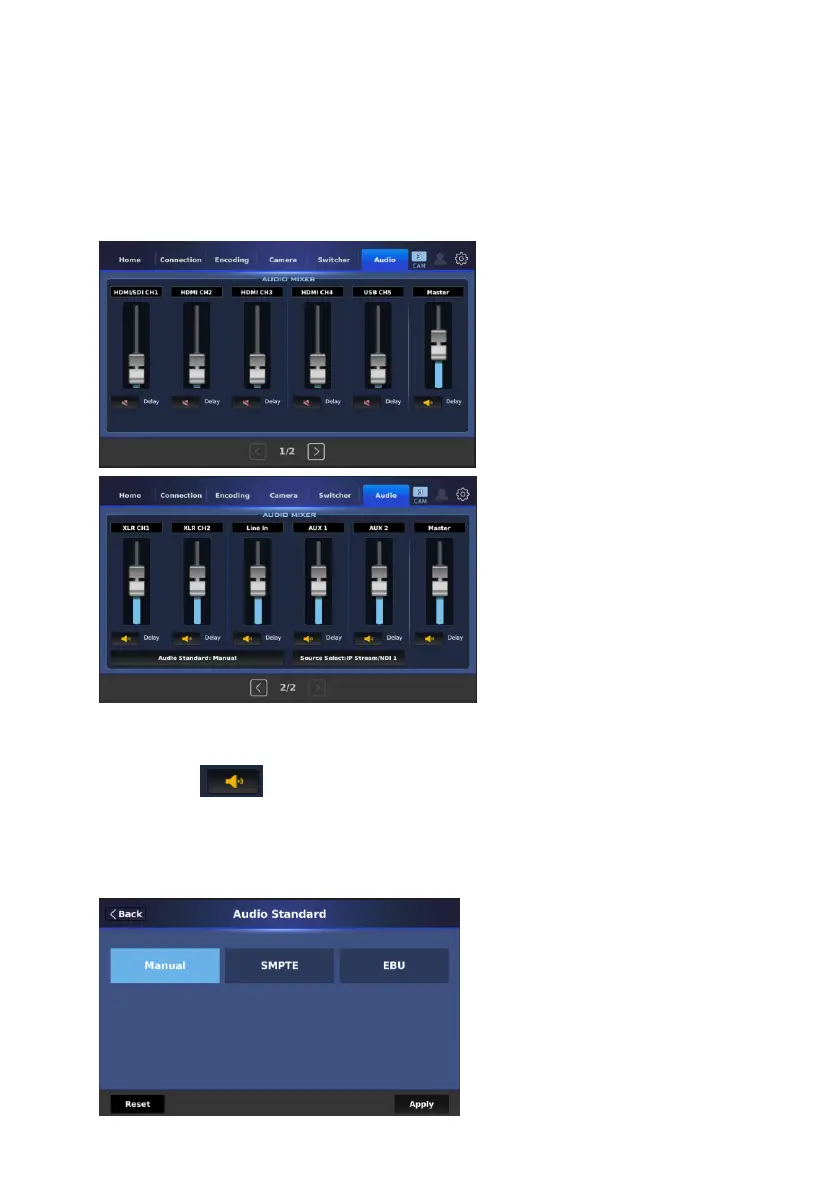
The “Audio” tab allows you to adjust the volume and delay for all audio
channels. There are two pages for the “Audio” tab. The main interface for the
“Audio” tab is shown in the following diagram.
The above-mentioned interface allows you to adjust the audio volume and
delay for all audio channels by using sliders. Moreover, you can tap the
speaker icon to turn on or to mute a specific audio channel. For XLR
and Line In external audio sources, you can tap the “Audio Standard” button to
select your desired audio standard. Please select the audio standard and then
press the “Apply” button to apply it.


 To Next Page