76
12.5 Window
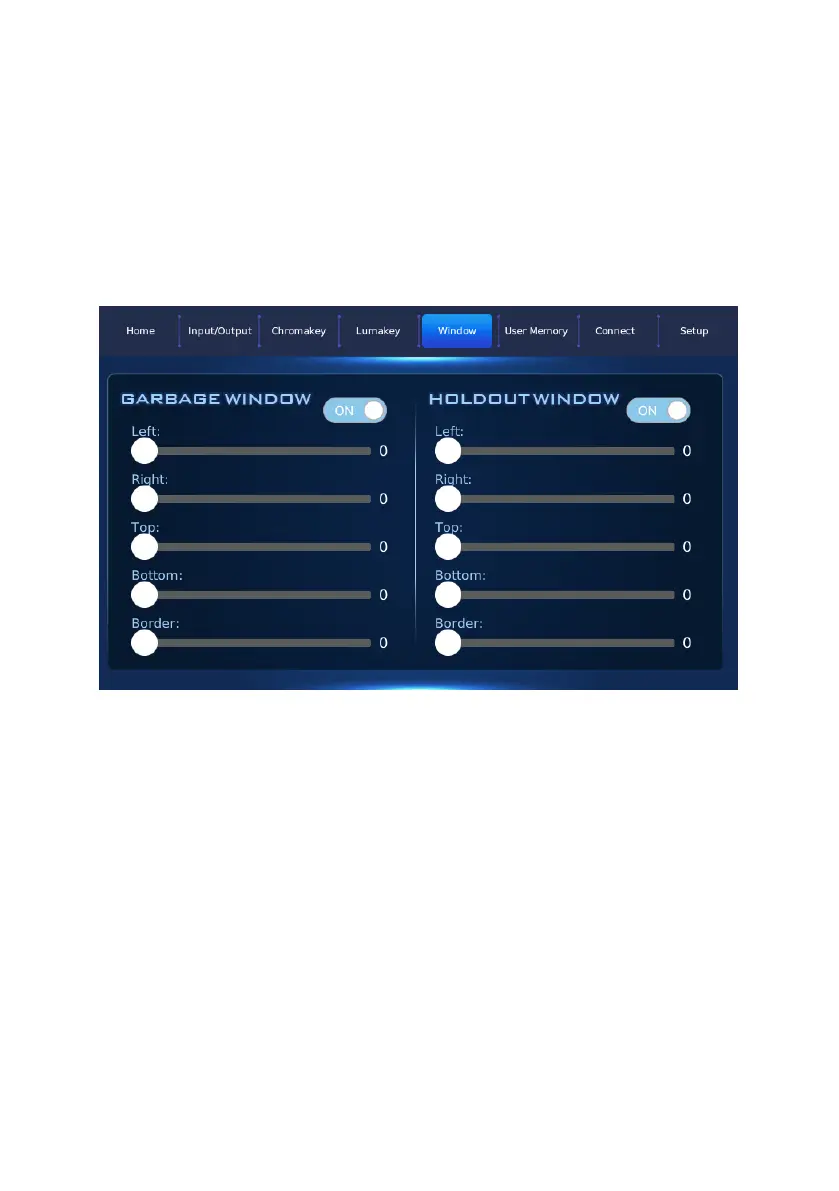
After related parameters in the DVK-400 PC App are set in advance, the
Window option allows you to turn on or turn off the “Garbage Window” and
“Holdout Window” ON/OFF buttons. Moreover, it also allows you to adjust the
“Top”, “Bottom”, ”Left” and “Right” range of edges and the values for the soft-
edge effect. The main interface of the Window option is shown in the
following diagram.


 To Next Page