95
Auto-Tracking On/Off buttons of the “2 cams” mode are the same as the
Auto-Tracking On/Off buttons of the “3 cams” mode Please refer to “14. AI
Auto-Tracking On/Off buttons for CAM A/CAM B/CAM C/CAM D” in 13.2.1 3
cams Interface-Home for details.
13.2.3 Connection-for 3 cams & 2 cams Interfaces
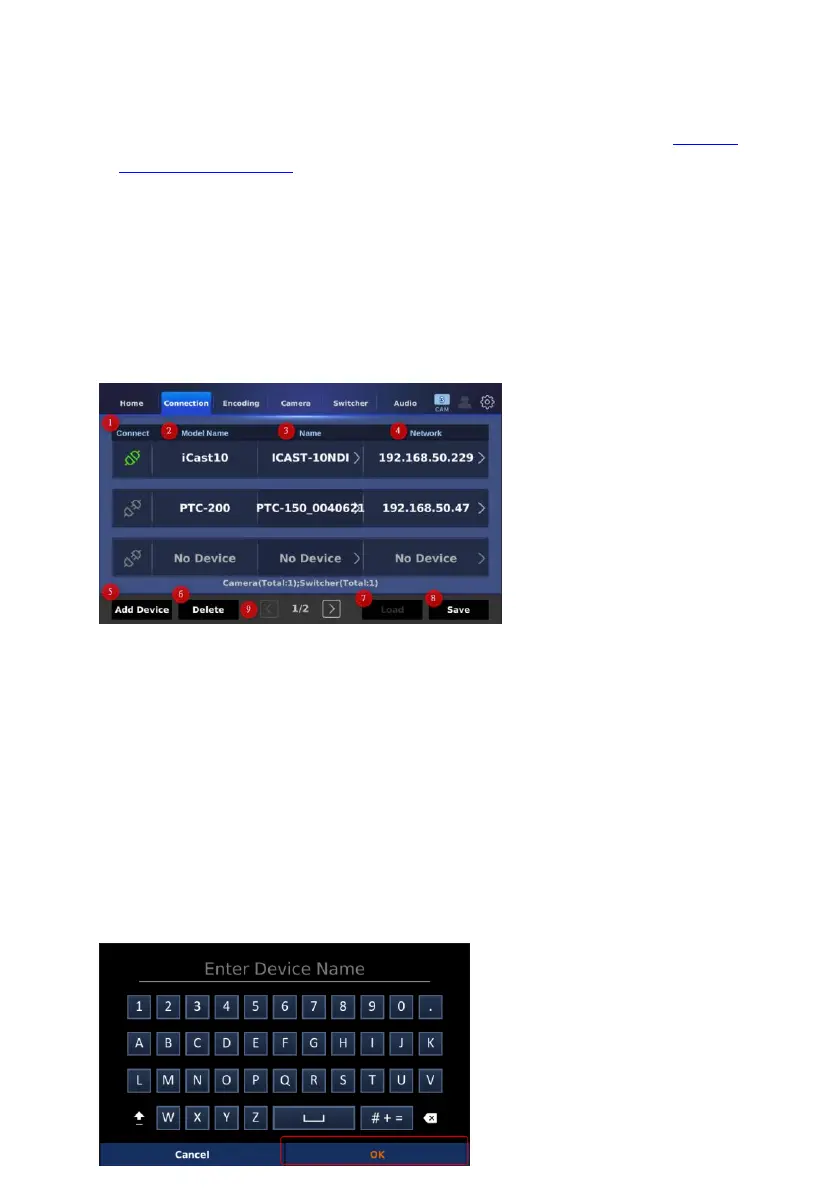
The “Connection” interface allows you to see up to 6 connected devices
including the iCAST 10 NDI. Moreover, the “Connection” interface also allows
you to set the networking related settings, to save the current status of the
connected devices and to load the previous saved connected devices. The
“Connection” interface is shown in the following diagram.
1. Connect: This option allows you to see the current connected status of your
devices. If this icon is shown in green, it means that the device is connected
successfully.
2. Model Name: This option will show the model name of the connected
devices.
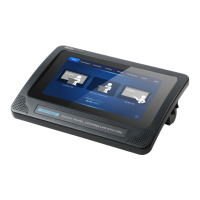
3. Name: This option will show the name of the connected devices. You can
tap the selected device “Name” button to modify the device name for a
specific device.


 To Next Page