17
Chapter 5 TPC-700 & TPC-700P’s Settings Option
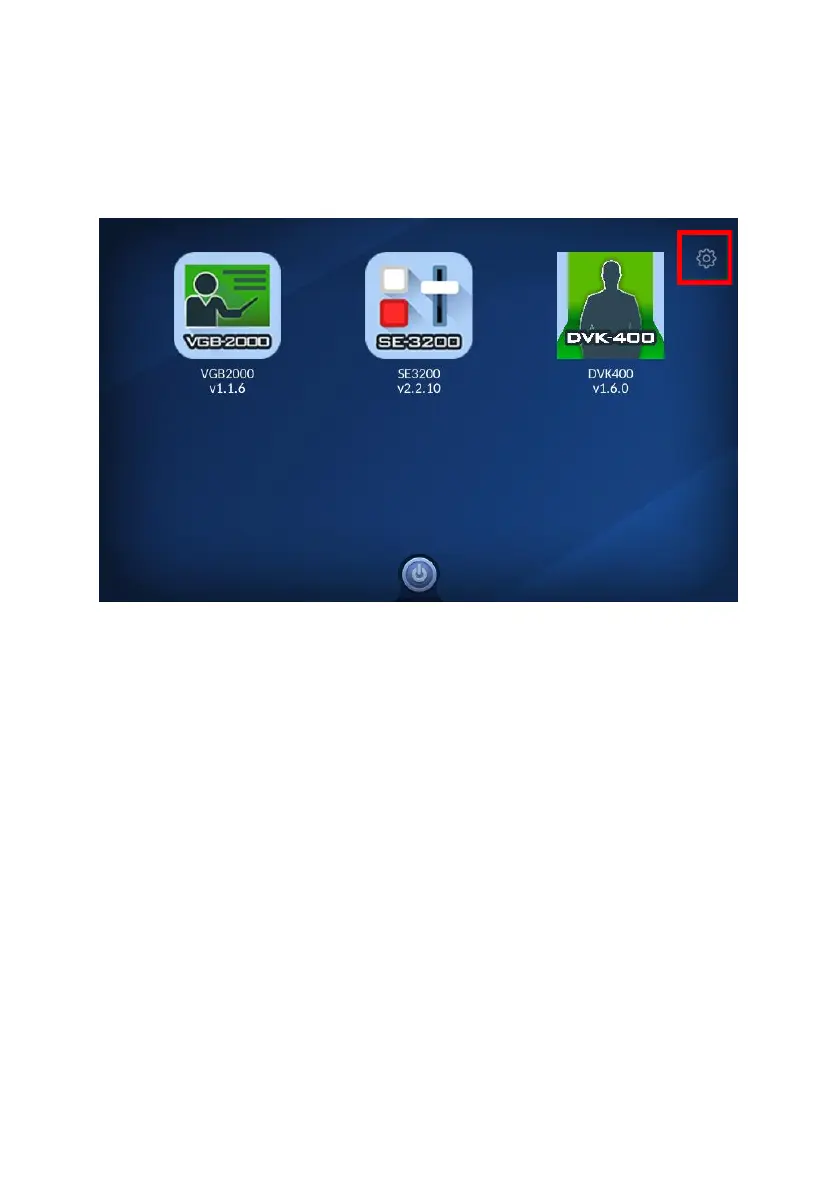
After you turn on the TPC-700 or the TPC-700P, it will enter the main
screen and there is a “Settings” icon which is located at the top-right
side of the main screen.
After pressing the icon, you can enter the “TPC-700 Setup” interface, the
purpose for this “TPC-700 Setup” page is for you to set various network
parameters of the TPC-700/TPC-700P. Moreover, it also allows you to install
and uninstall various apps for different product models which are installed in
the TPC-700 or the TPC-700P. In the “TPC-700 Setup” interface, there are
several parameters including “Language”, “TPC-700 Network”, “App Manage”,
“Autorun last App” and “FW Version”. The main interface of the “TPC-700
Setup” is shown in the following diagram, please refer to following paragraphs
for details.


 To Next Page