25
Chapter 7 Network Settings
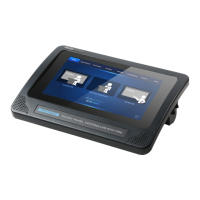
For the network settings of the TPC-700/TPC-700P, please see following
chapters.
7.1 Connect by Static IP Address
If the TPC-700/TPC-700P and the SE-3200 are brand new devices.
The default value of the brand new SE-3200 switcher is the static IP mode and
the static IP address is 192.168.100.101. For the brand new TPC-700/TPC-
700P Touch Panel Controller, its default network mode is the static IP address
mode and the IP address is 192.168.100.102. If users want to connect the
TPC-700/TPC-700P to the SE-3200 by the static IP mode, please connect the
TPC-700/TPC-700P and the SE-3200 with an RJ-45 Ethernet cable.
If the IP address of the TPC-700/TPC-700P or the SE-3200 is not the
default value
If the IP address of the SE-3200 is not the default value, please refer to
“Network and Software Setup for Switcher” in the SE-3200 user manual to
know the IP address, subnet mask and default gateway of the SE-3200. And
then please set the IP address of the TPC-700/TPC-700P to be within the same
IP range for further operation.


 To Next Page