53
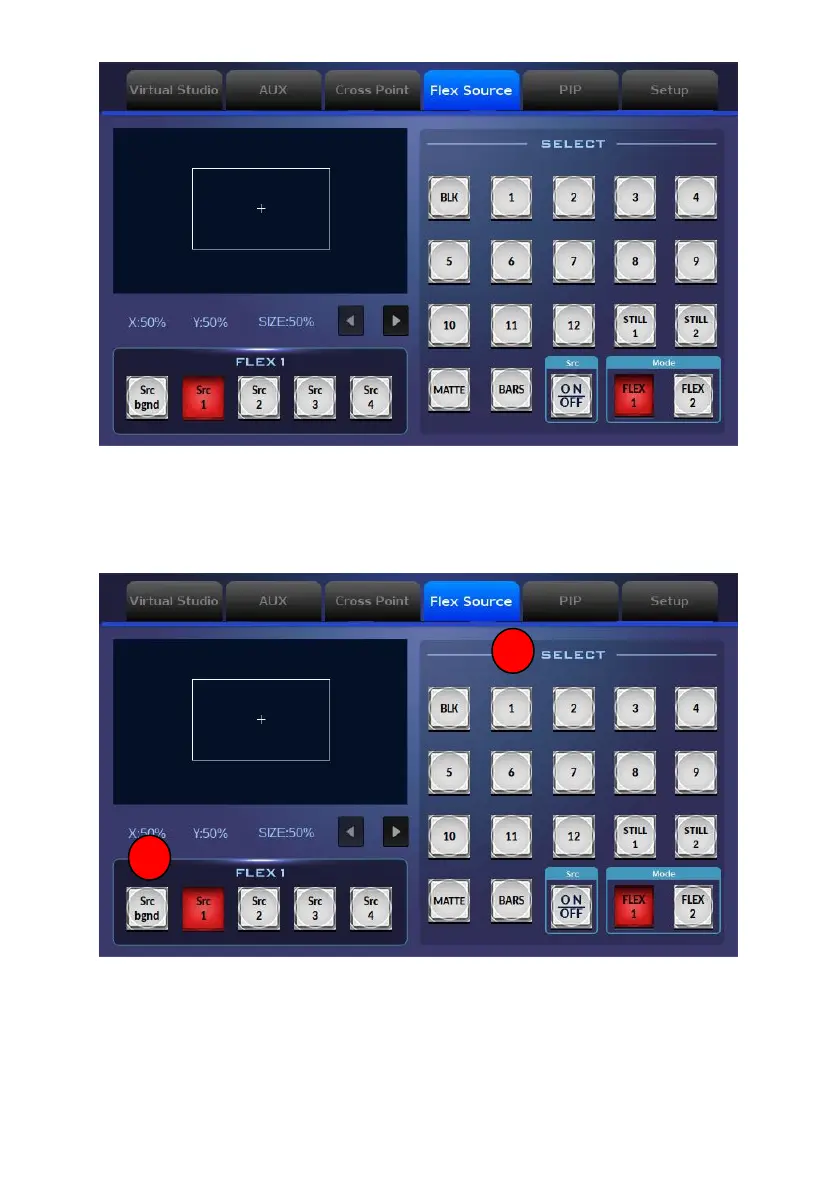
10.4.1 How to Use the Flex Source Function
Please follow following steps for using the Flex Source function.
How to Set the Background Picture for the Flex Source
1. At first, please tap the “Src Bgnd” button which is located at the “FLEX 1”
area to select the background function for the Flex Source.



 To Next Page