18
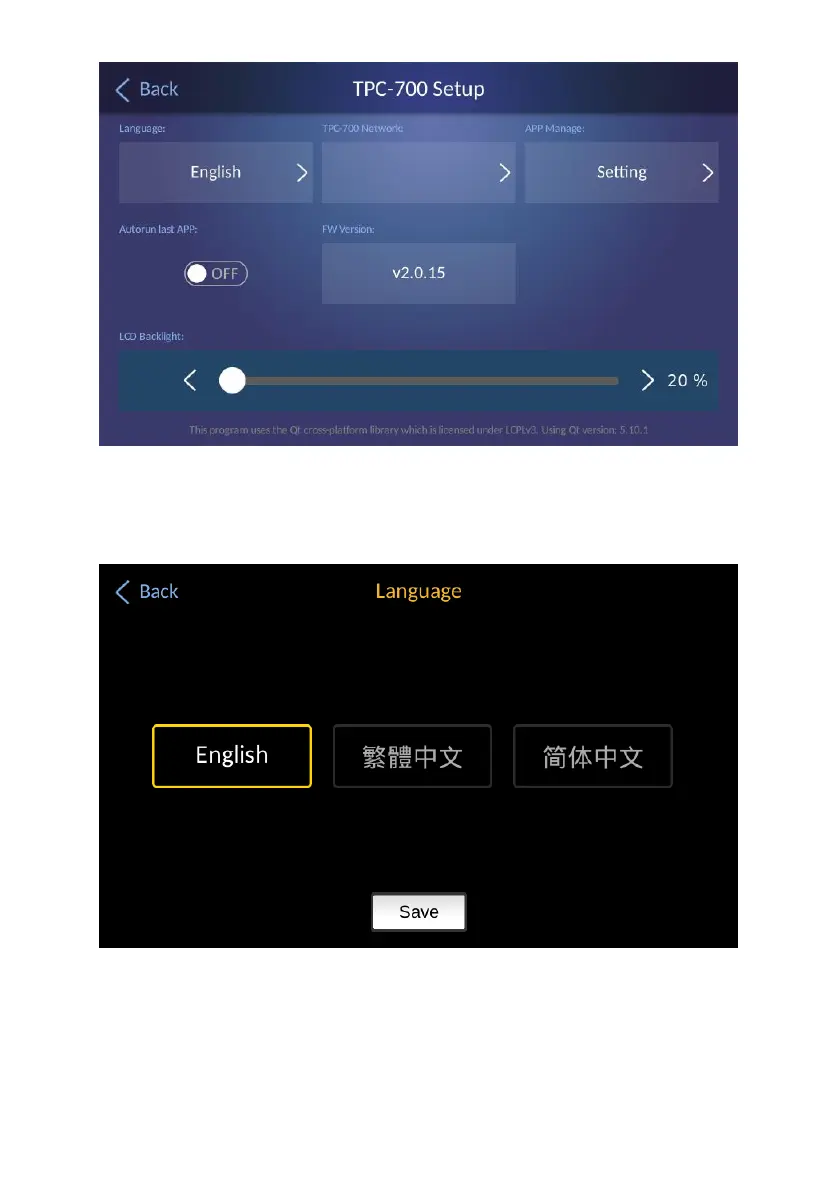
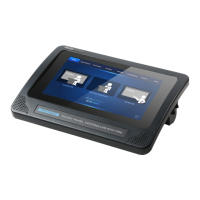
Language: Please press this button to select your desired language from
three languages including traditional Chinese, English and simplified
Chinese. After that, please press the “Save” button for saving the
settings.
TPC-700 Network: Please press this key to set various network related
parameters including DHCP ON/OFF switch, IP address, Network Mask,
Gateway and Primary DNS. The main interface of the “TPC-700 Network”
option is shown in the following diagram.


 To Next Page