50
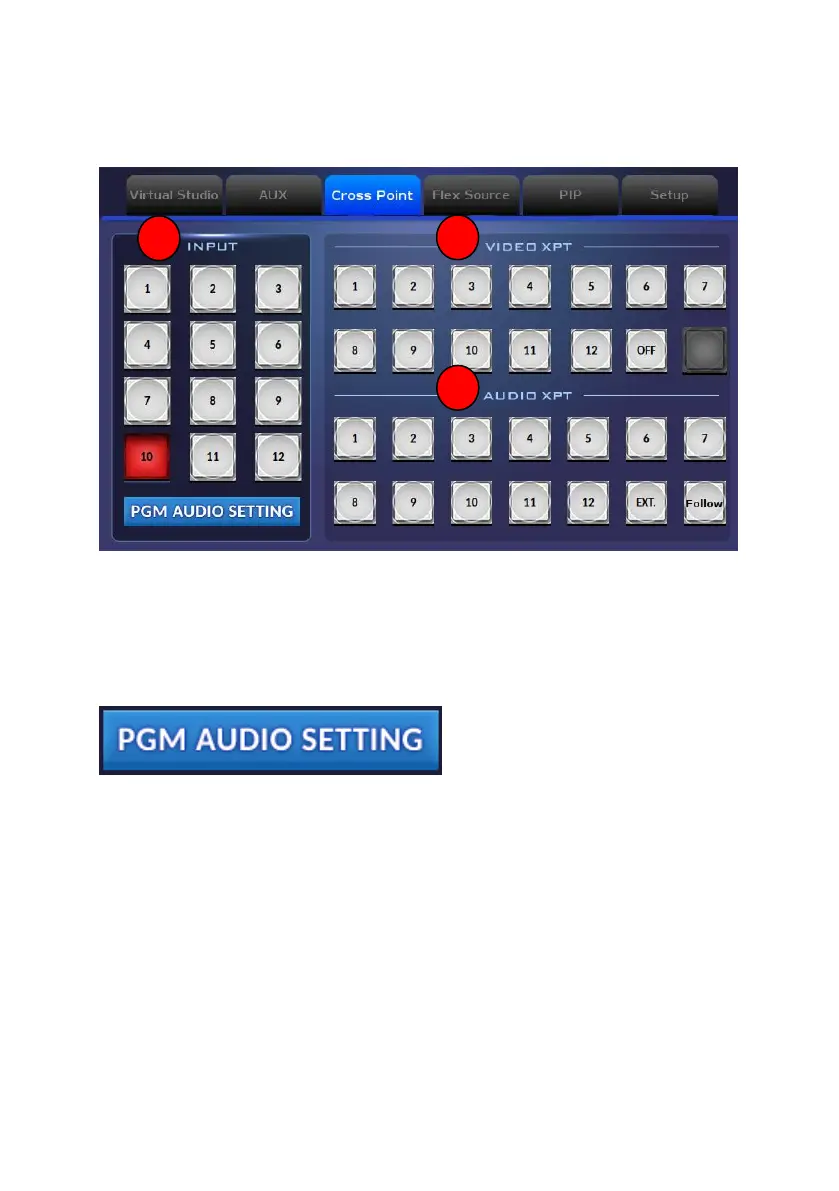
Note:If you want to turn off the output of the “VIDEO XPT” area, please tap
the “OFF” button. If you want to use the embedded audio of the output video
as the output audio source, please tap the “Follow” button.
How to Enter the PGM AUDIO SETTING Interface
1. Please tap the “PGM AUDIO SETTING” button.


 To Next Page