71
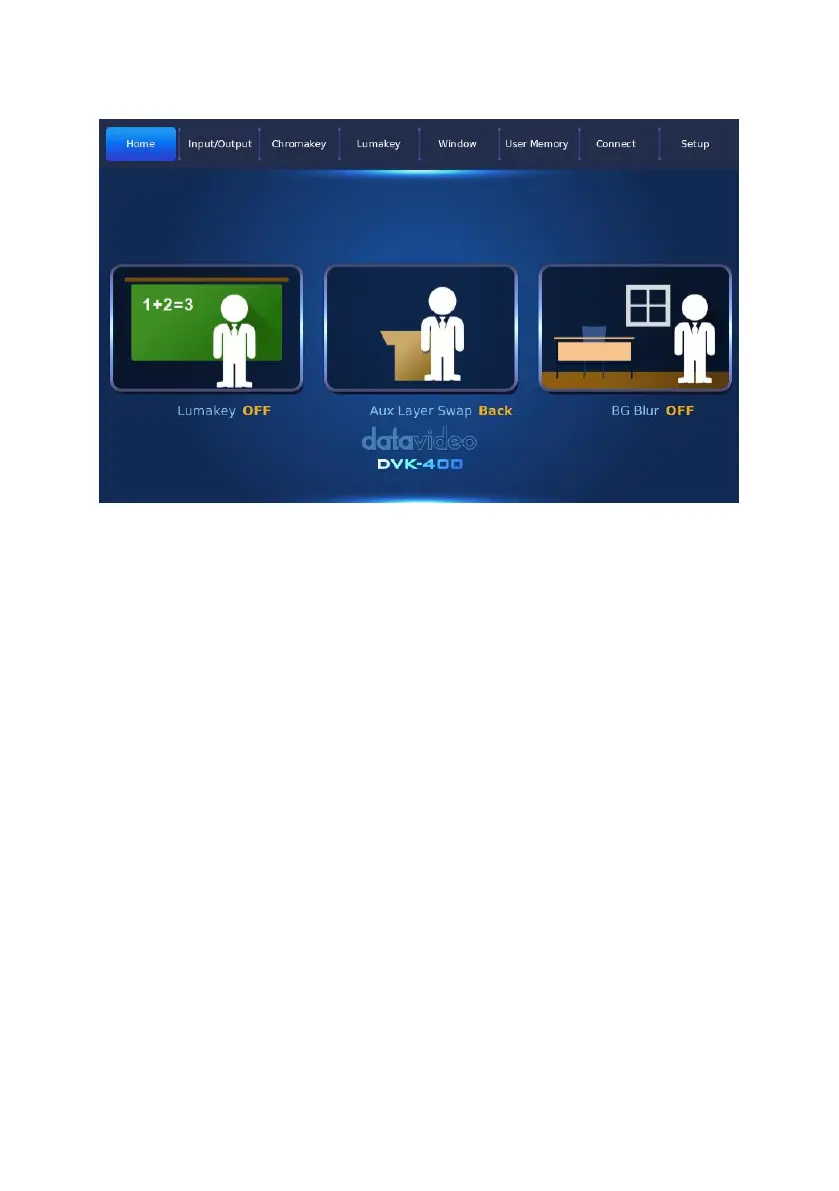
Lumakey ON/OFF: Press this button allows you to switch between the
“Lumakey ON”and “Lumakey OFF”.
Lumakey ON: This allows you to apply the Lumakey effect.
Lumakey OFF: If this button is pressed, the Lumakey effect will not be
applied.
AUX Layer Swap Front/Back: Press this button to switch between “AUX
Layer Swap Front” and “AUX Layer Swap Back”.
AUX Layer Swap Front: If the “AUX Layer Swap Front” is set, the
Chromakey layer will be behind the AUX Lumakey layer.
AUX Layer Swap Back: If the “AUX Layer Swap Back” is set, the
Chromakey layer will be in front of the AUX Lumakey Layer.
BG Blur ON/OFF: Press this key allows you to switch between the “BG
Blur ON” and “BG Blur OFF”.



 To Next Page