84
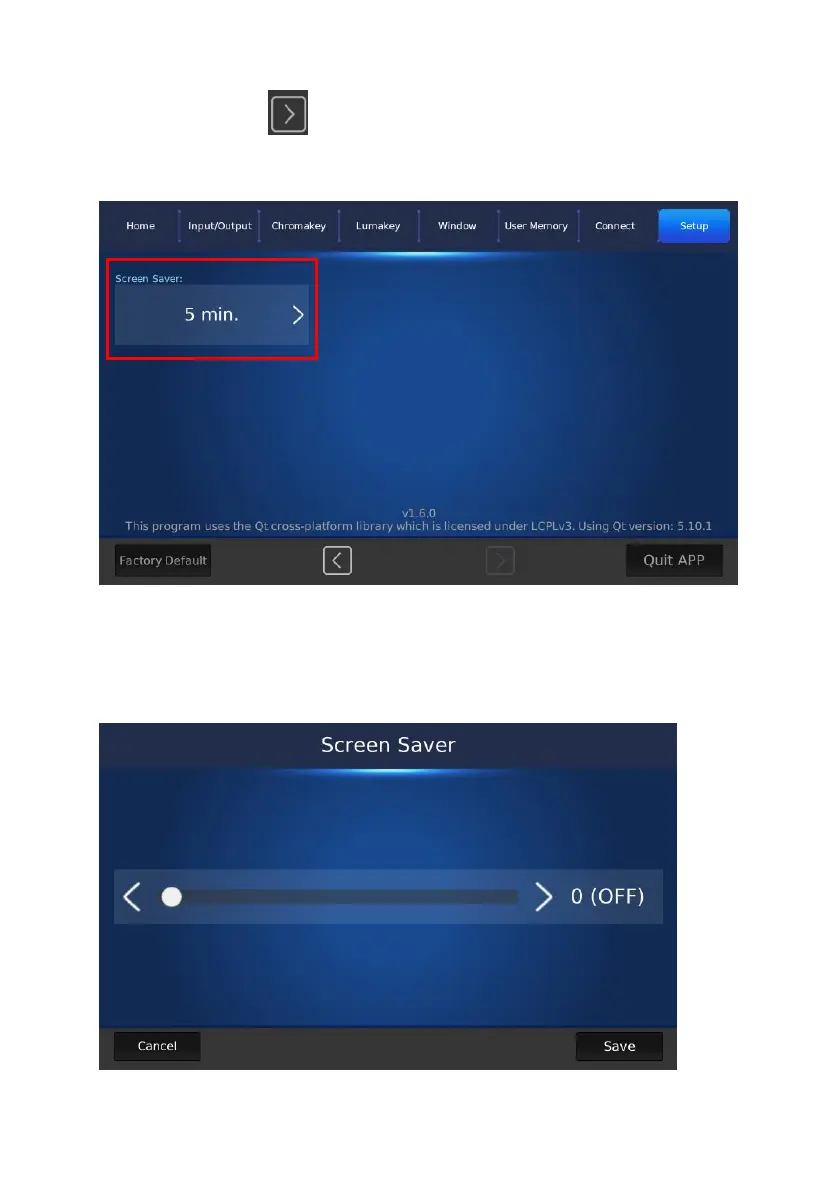
Screen Saver: After entering the “Setup” page, please press the “right
arrow” button to show the “Screen Saver” option which is shown in
the following diagram.
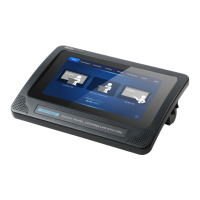
After pressing the “Screen Saver” button, you can see the “Screen Saver”
adjustment slider for you to adjust the “Screen Saver” wait time from 0(OFF)
to 10 minutes which is shown in the following diagram. After the adjustment
is finished, please press the “Save” button for applying the setting.


 To Next Page