90
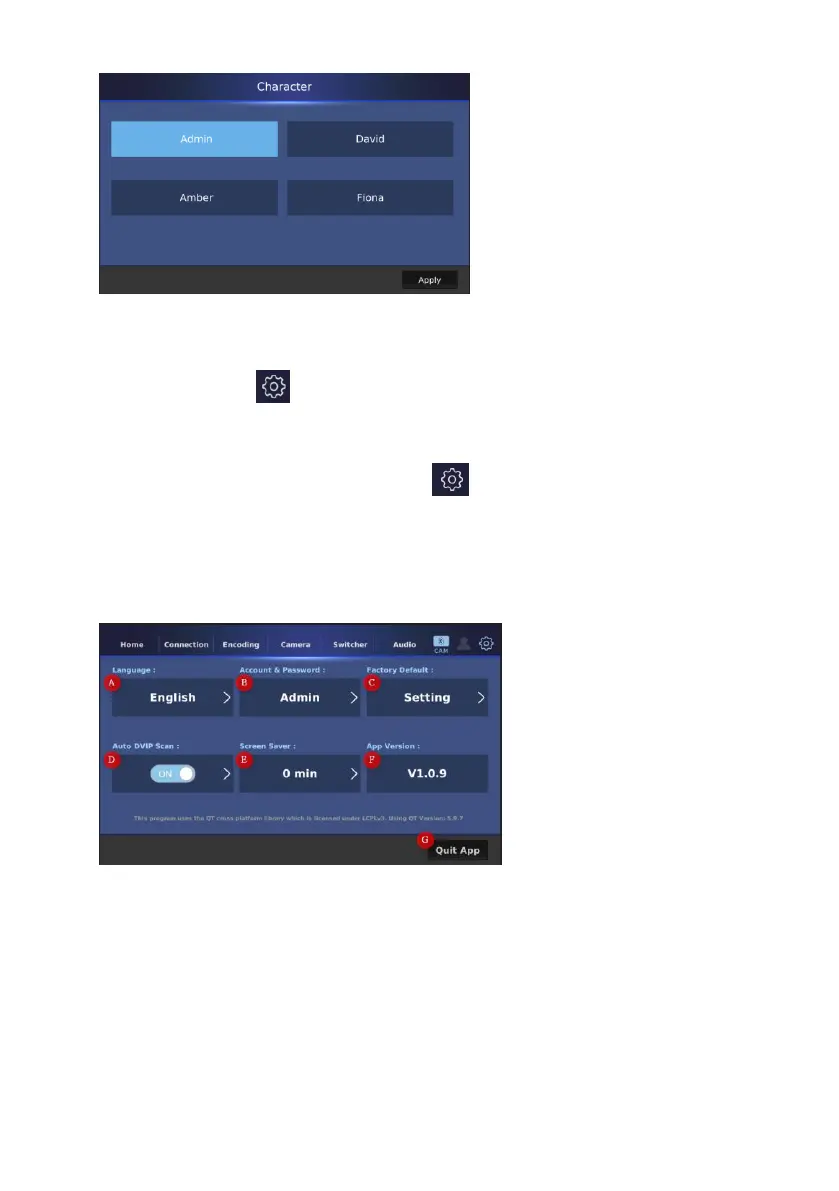
Before using this function, you have to make sure that your account and
password are set in advance in “Account & PasswordAdd New User”. You can
press the gear icon which is located on the top-right side of the screen to
enter the “settings” page.
13. Gear icon: Please press this gear icon to enter the “Settings” page.
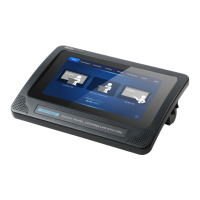
The “Settings” page provides you to set various options including “Language”,
“Account & Password”, “Factory Default”, “Auto DVIP Scan” and “Screen Saver”.
Moreover, it allows you to check the “App Version”. The main interface of the
“Settings” page is shown in the following diagram.
A: Language: Please press this button to select your desired language from
English, Traditional Chinese or Simplified Chinese. After that, please press the
“Apply” button. Please note that the “Traditional Chinese” and “Simplified
Chinese” interfaces are currently unavailable.


 To Next Page