rev1 – Dec 2013 www.digitalcomtech.com 10
Installation
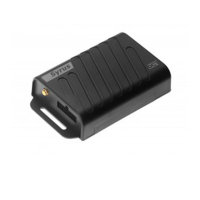
The Syrus
TM
can be installed in any location of any type of vehicle as long as some
environmental conditions are met:
o No exposure to water.
o No direct exposure to sun light.
o Away from excessive heat sources like the motor or the exhaust's path.
o Away from excessive cold sources like a truck's refrigerator or AC system.
o Not attached to a highly vibrating structure.
o The Syrus has an internal GSM antenna that will assure GPRS communication
under normal vehicular conditions. The unit must not be installed inside a metal
structure that could act as a Faraday cage, which could lower the signal strength.
o The Syrus has an internal GPS antenna, and a connector for an optional external
GPS antenna. When using the internal antenna, the units must be located so that
it has minimal metal obstructions to the sky view and with the upper part facing
up. It is recommended to use the external GPS antenna in most cases.
The unit's location/position can be such that it remains hidden. The LEDs indicators do
not have to be visible but it is recommended some access to them for
failure/diagnostics situations. The same recommendation holds for physical access to
the unit's serial port.
Power Supply
The unit's power cables should be directly connected to the vehicle's battery (12V or
24V). The unit supports an operating voltage range from 8V to 32V.
When the unit is not being used in a vehicle (e.g. lab testing) it must be powered by a
12V DC adapter that supplies a minimum current of 800mA.
Warning: The internal lithium polymer battery has an integrated automatic cut off
circuit to protect against over-charge, over-current and over-discharge. After long
disconnection periods, the battery may activate its over discharge protection circuit.
The unit is shipped with an unplugged battery connector to help prevent this state.
Plug this connector in before connecting the main power and wait for activity
indication on the green LED. It is not recommended to unplug the battery, except for
seldom-long storage periods. Refer to Care & Caution Section to see how to remove
the Battery or the SIM card.
Even though it is possible for the unit to work with no internal battery, it is
recommended to always use the battery; this is to prevent any data loss or memory
corruption that can be caused due to momentary external power loss.


 To Next Page