MAINTENANCE NOTICE
NM-275 index 09 Page 32/50 September 2021
8.6 Pigging mode
On units fitted with 3EV modules (Ref. 7162002 or 7162004), it is possible to switch to Pigging mode.
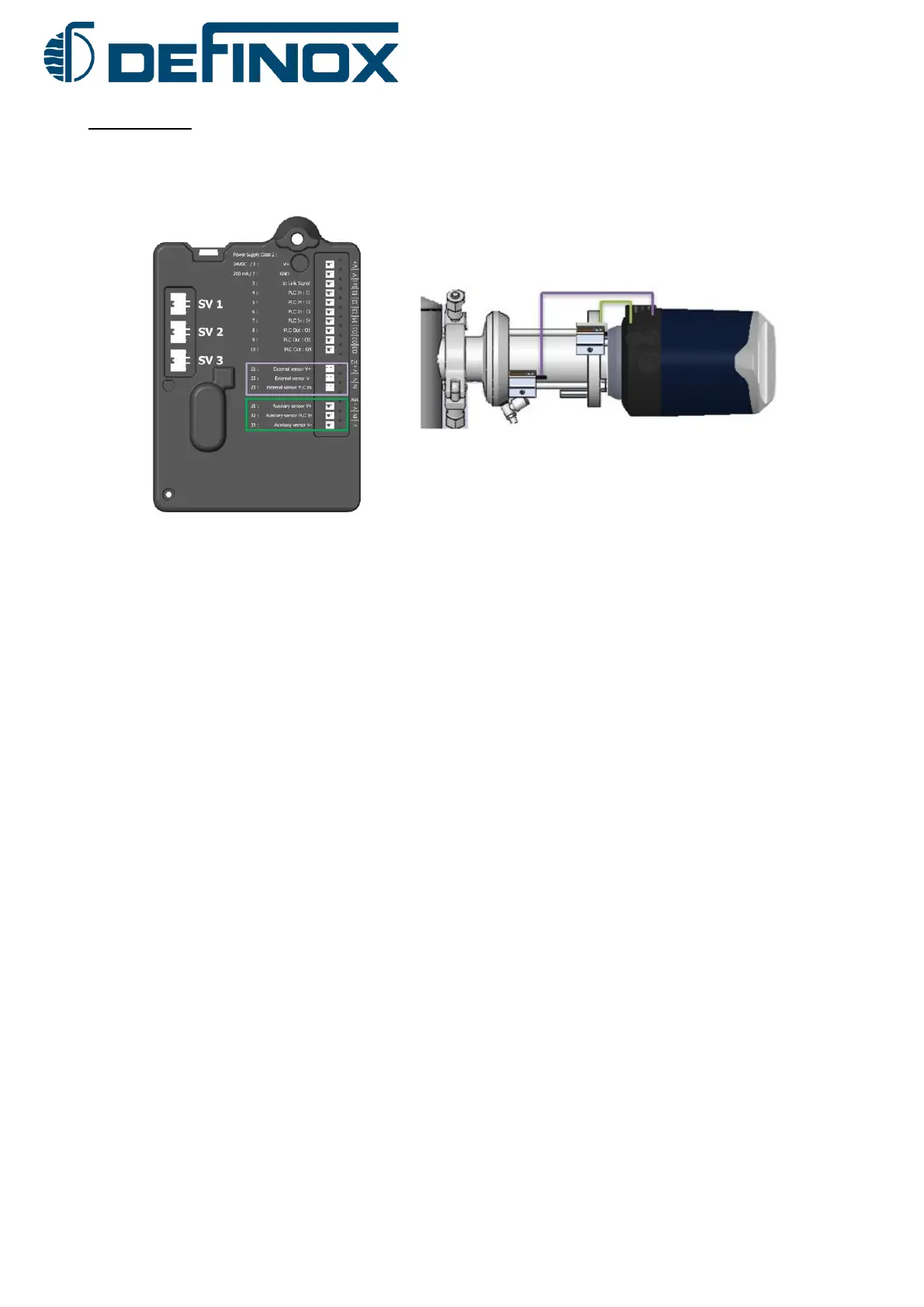
This mode allows to connect 2 external detectors for push or block cylinders used on the pigging stations. For the Digital /
IO-Link version, it is possible to add a third external detector.
2 conditions are necessary to enter into pigging mode:
- The magnetic cam must be removed. (No rod movement in the unit)
- The external detectors must be connected to the connections of the External & Auxiliary module
(See wiring diagram in Chapter 5)
3 conditions are necessary to exit the Pigging mode:
- Replacing a magnetic cam on the valve actuator
- Disconnecting the Auxiliary detector
- Restarting a calibration of the valve or doing a Factory Reset of the unit.
RGB LED
- Detector 1 Auxiliary active -> RGB LED depending on the idle position colour (De-energized)
- Detector 2 External active -> RGB LED depending on the active valve colour (De-energized)
- Detector 3 active -> RGB LED depending on Out of position colour (only for Digital / IO-Link)
- If 2 detectors are active at the same time, the RGB LED is OFF
PLC, IO-Link and AS-i inputs:
- Detector 1 Auxiliary active -> Idle Position Signal (De-energized)
- Detector 2 External active -> Active valve Signal (Main energized)
- Detector 3 active -> Upper valve pulse Signal
- The Signal Status is active in pigging mode without error (only for Digital / IO-Link)


 To Next Page